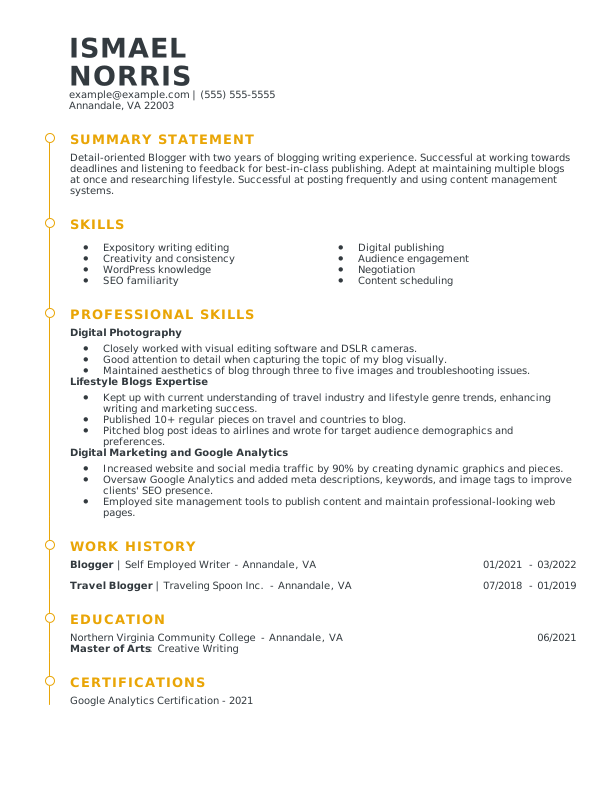
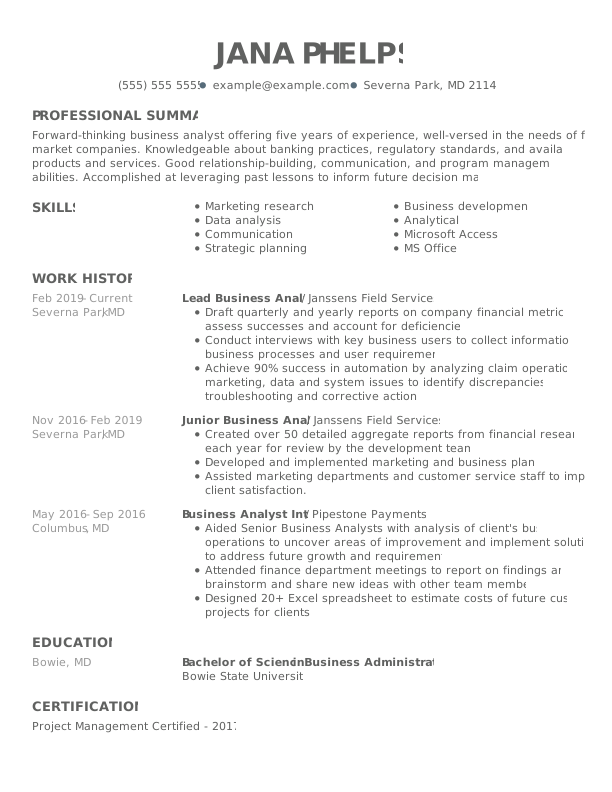
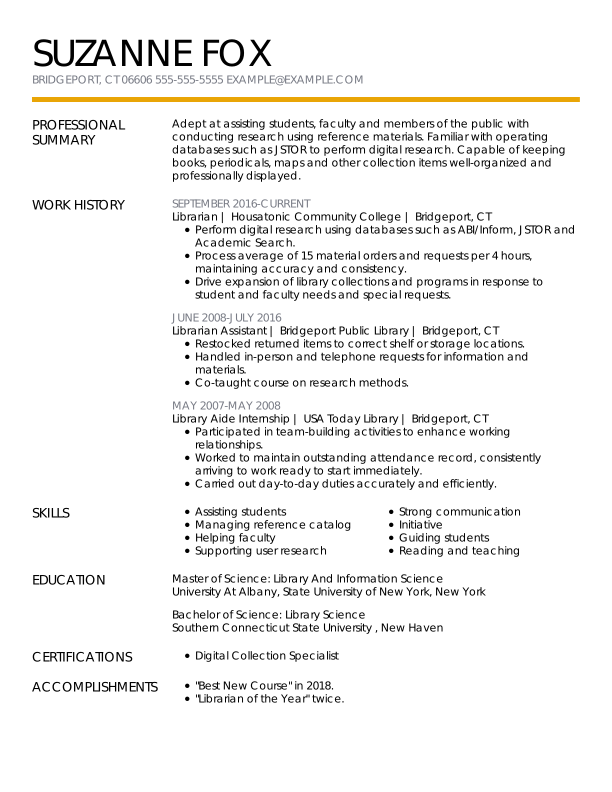
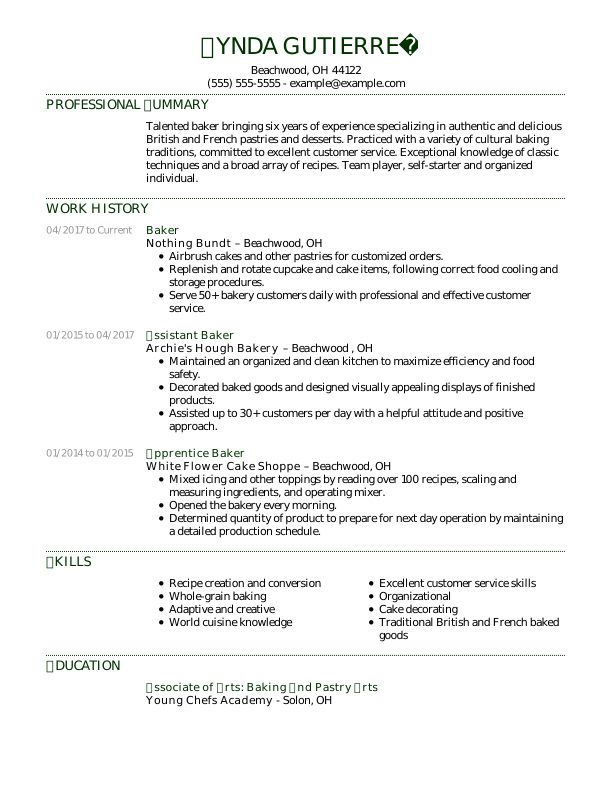
How to Choose the Best Resume Format (With Examples)

Your resume format shapes how employers see your career story. Learn how to choose the right style to spotlight your strengths and boost your job search.

Eric Ciechanowski
by Eric Ciechanowski, CPRW, Career Advice WriterLast Updated: April 30, 2026

Hired By:*

Endorsed by trusted media Endorsed by trusted media
Which Resume Format Right For You 2025

Does your resume seem to draw attention to employment gaps or fail to capture the full range of skills you bring to the table? If so, changing your resume format could be the key to presenting your experience more effectively and strengthening your job search.

There are three recruiter-approved resume formats—chronological, functional, and combination—each offering a different way to organize your experience and highlight your strengths.

In this guide, we’ll cover the best resume format for different career stages and situations. Let’s begin by comparing the key differences between the three formats.

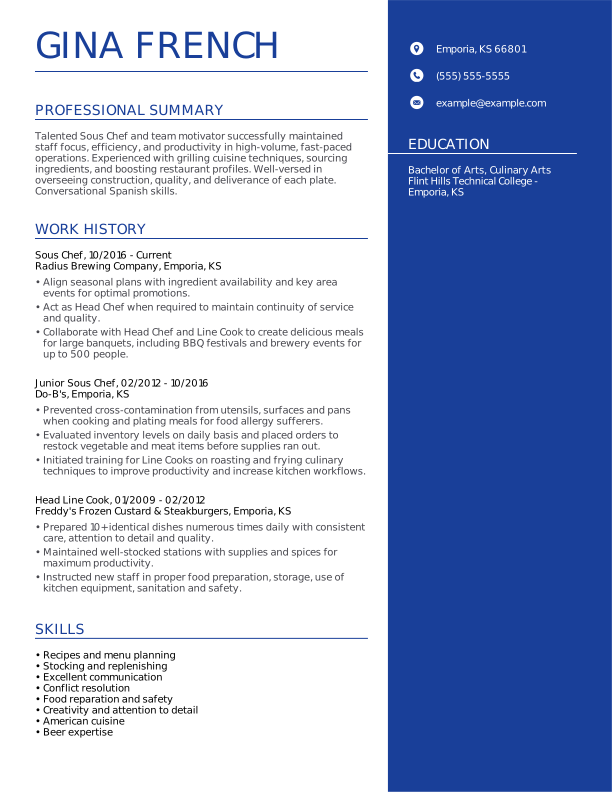
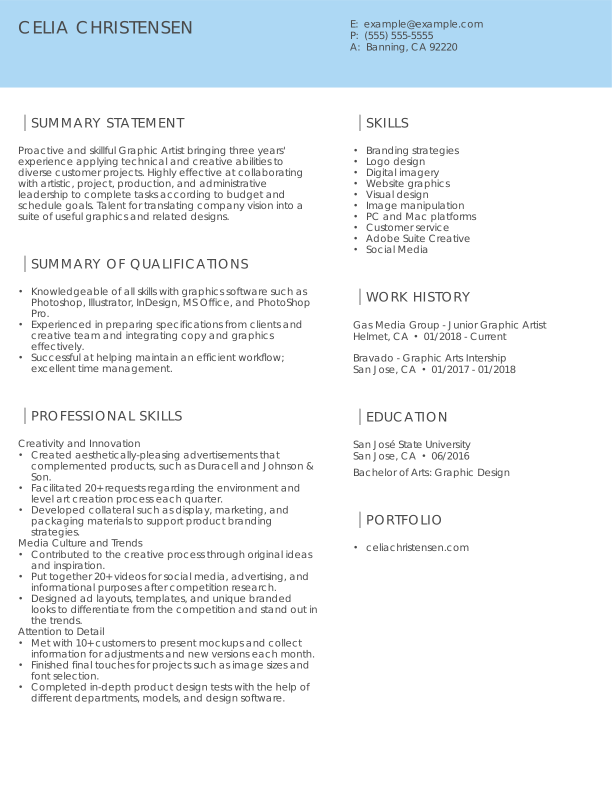
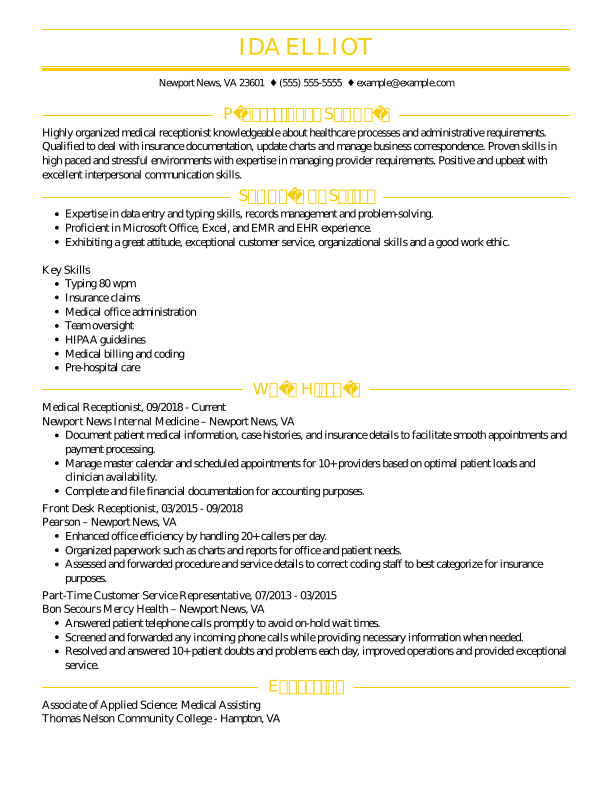
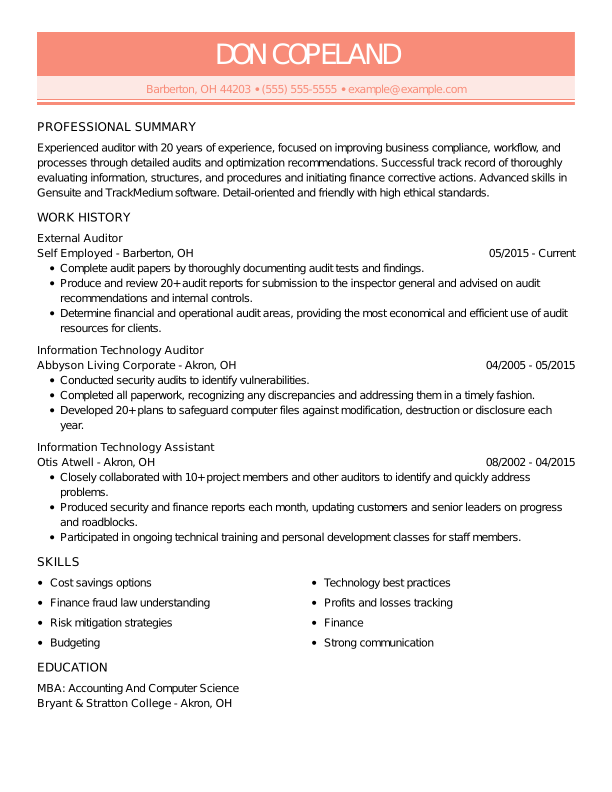
Professional Resume Formats for Top Jobs

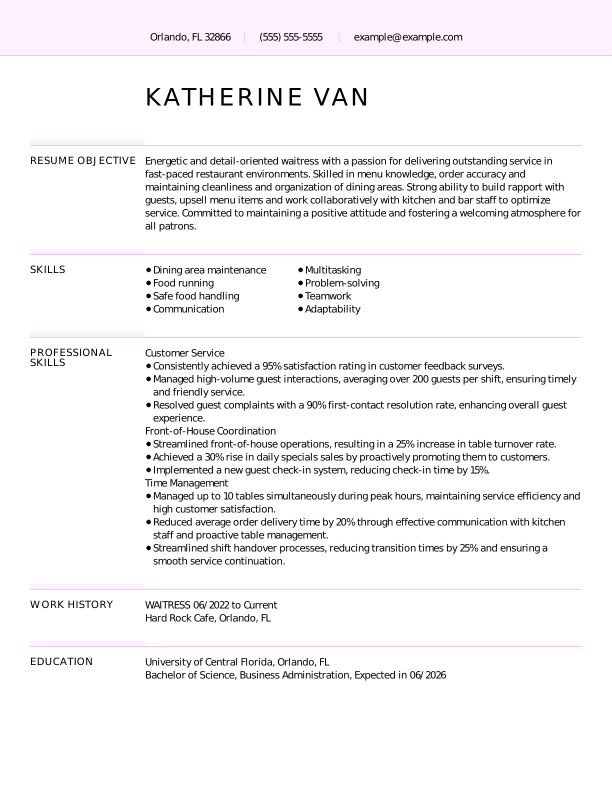
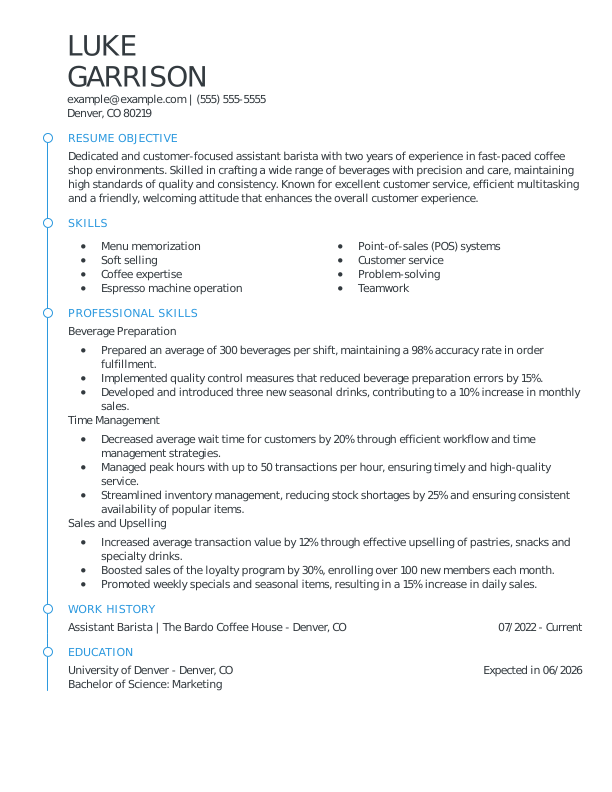
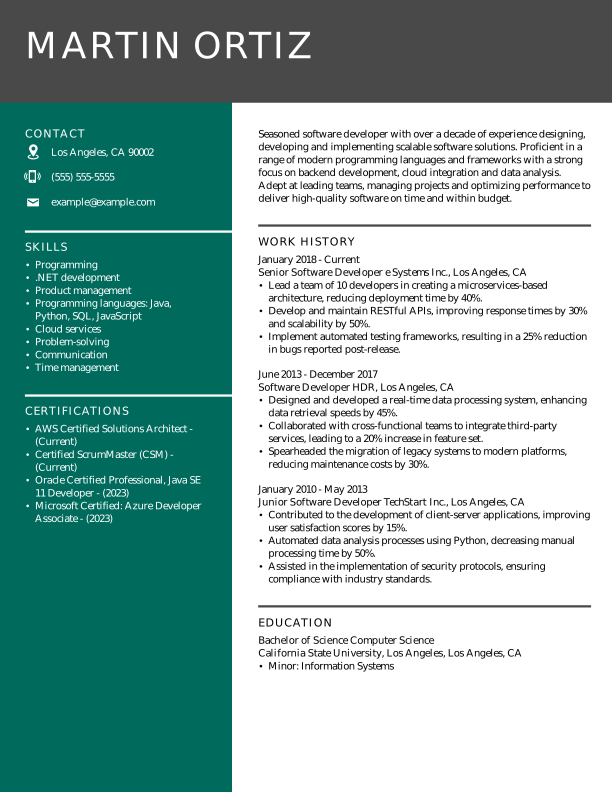
The professional resume templates below show how different types of resume formats work for various job titles. Each format highlights strengths differently:

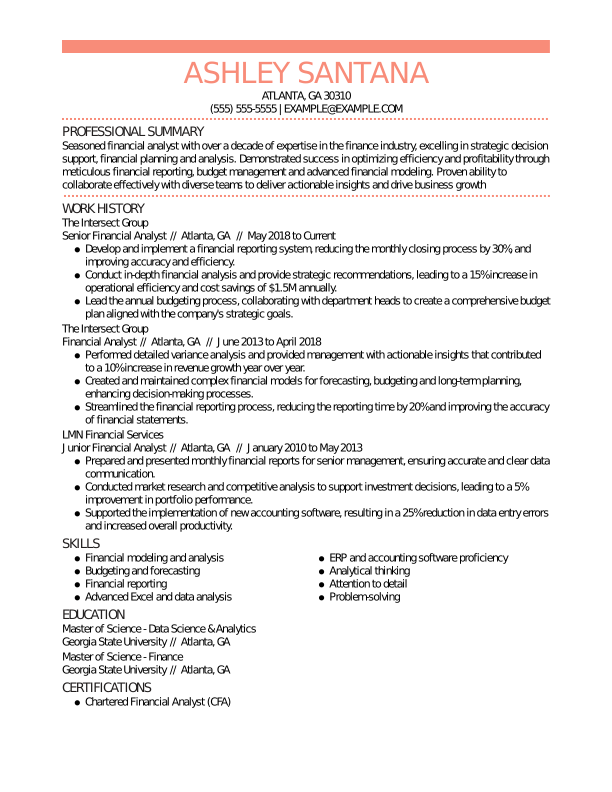
  • The chronological format is best for consistent career growth.
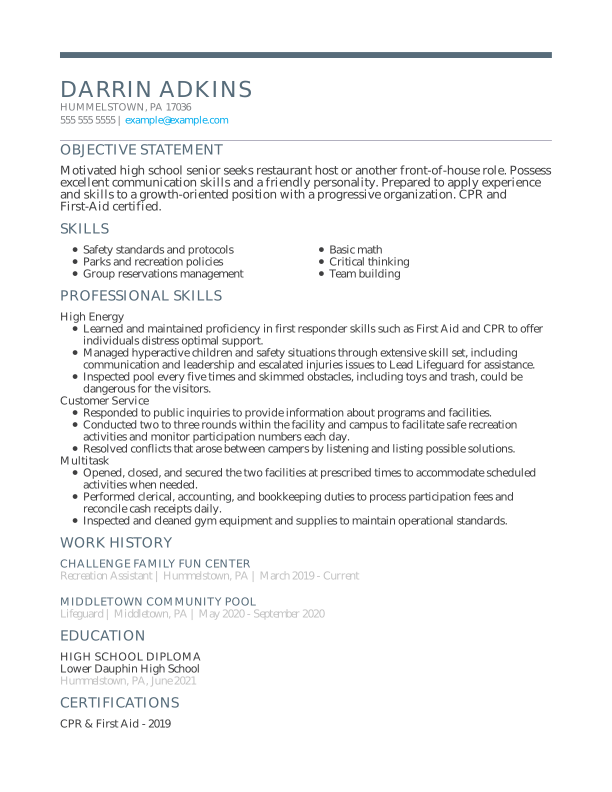
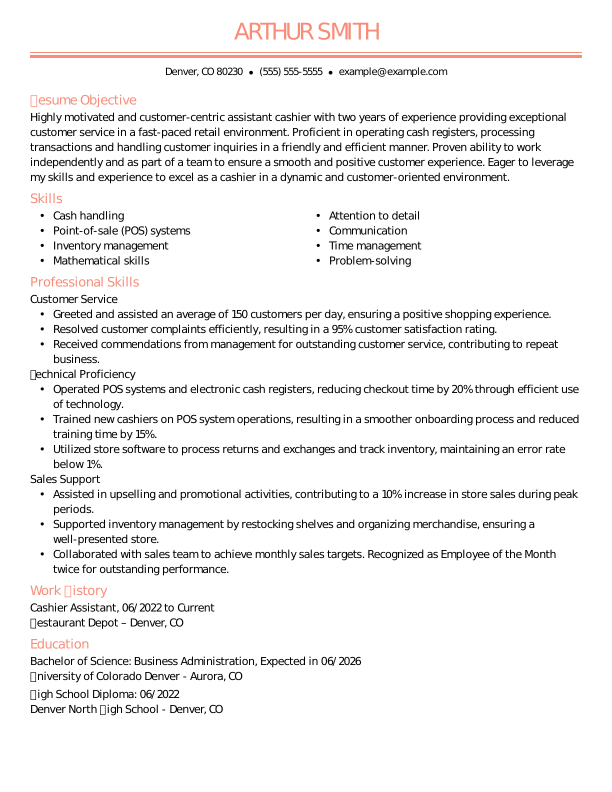
  • The functional format emphasizes skills for entry-level roles.
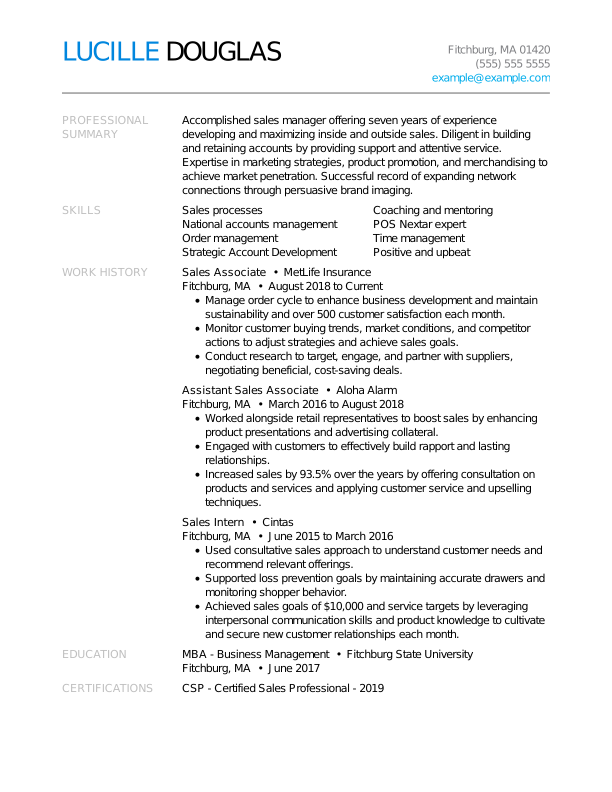
  • The combination format blends both for competitive positions.

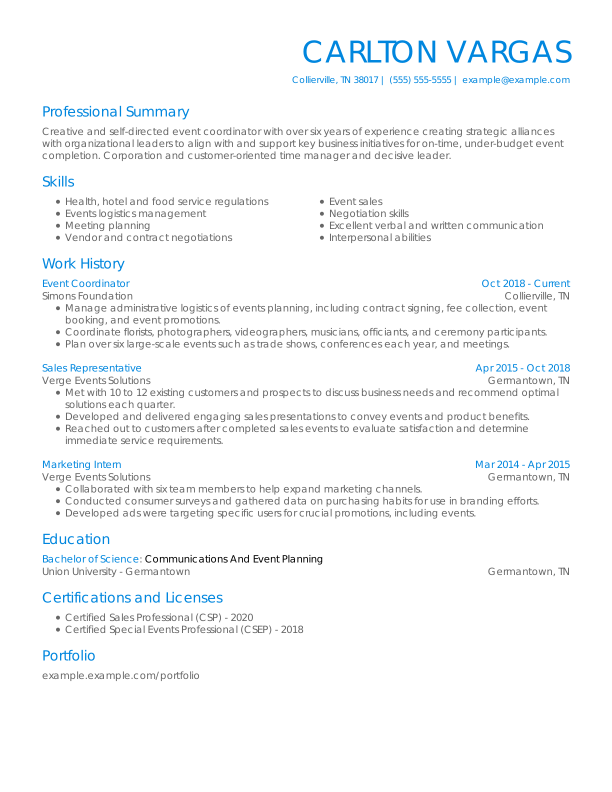
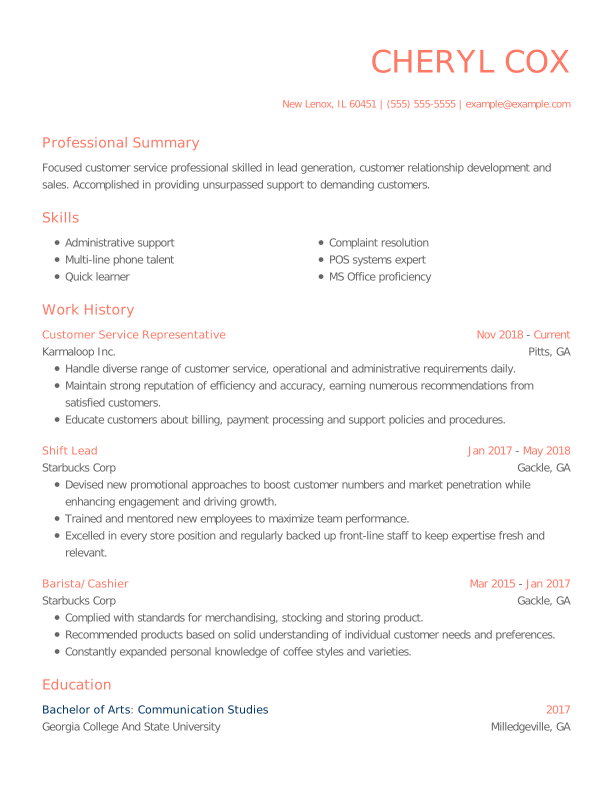
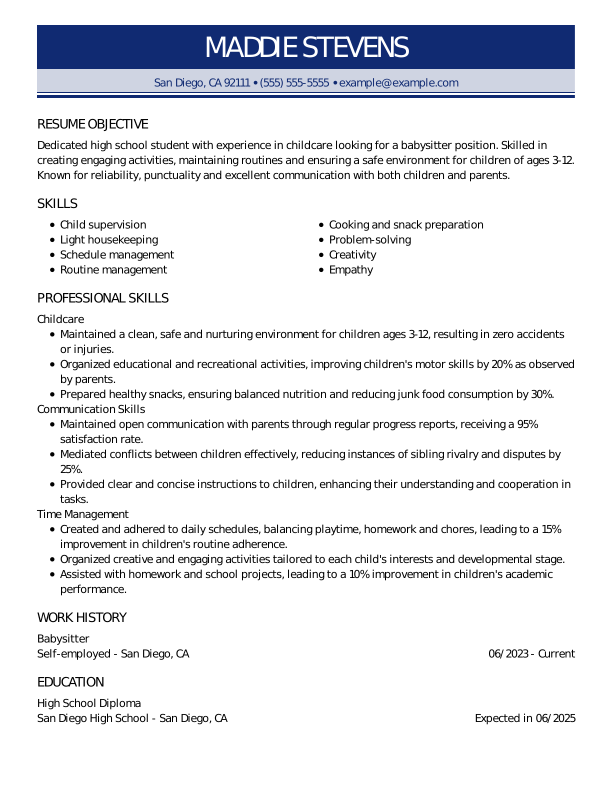
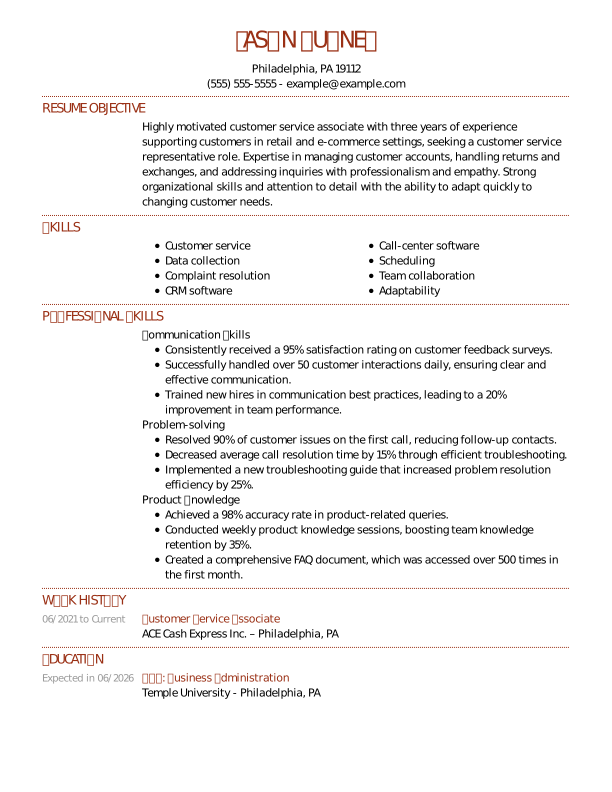
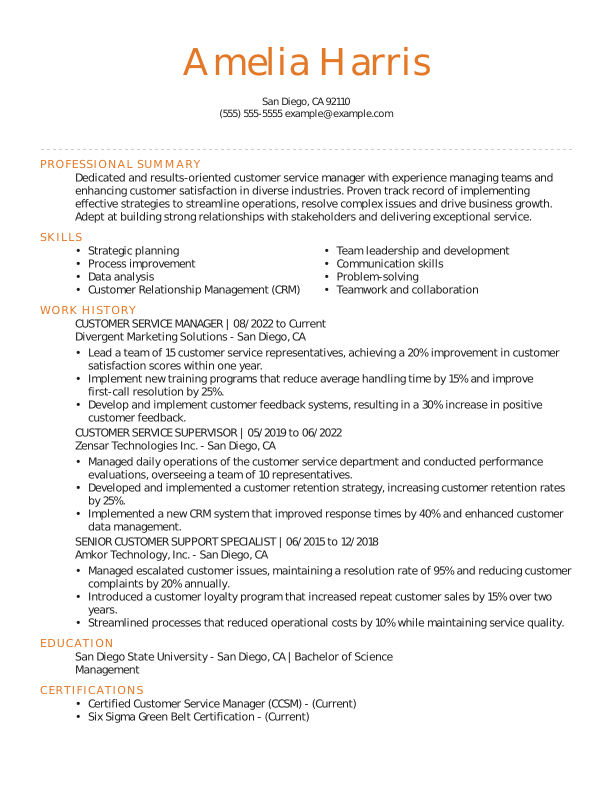
Customer Service Representative: Chronological Format

This experienced customer service representative uses a chronological resume format to highlight their customer service skills and decade of experience. 

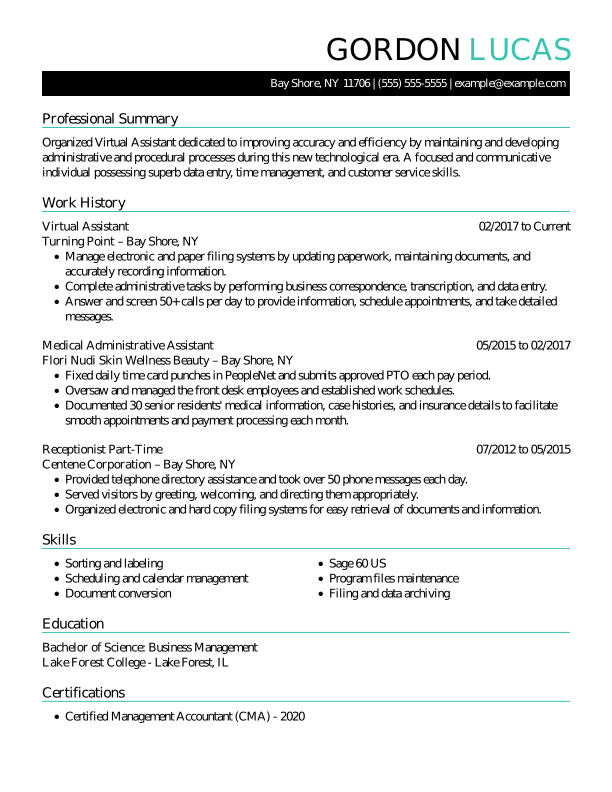
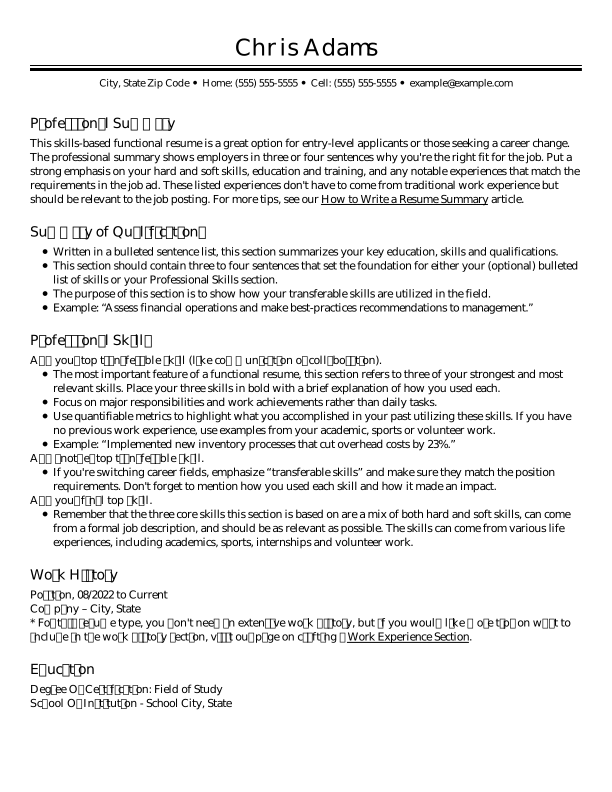
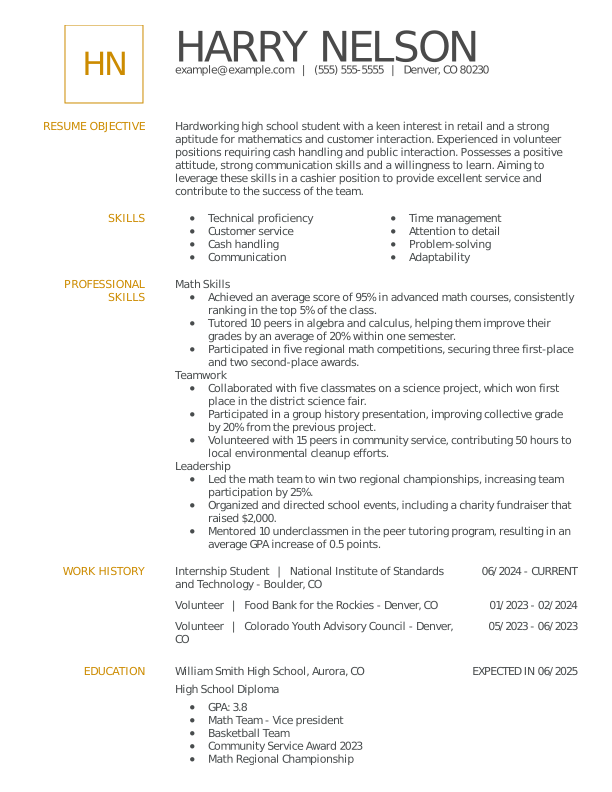
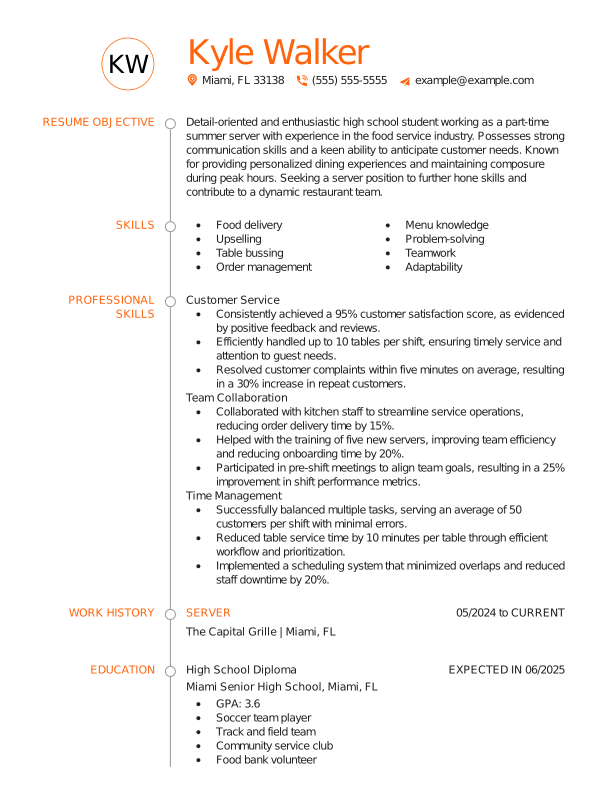
Cashier: Functional Format

This inexperienced job seeker uses a functional resume to highlight relevant technical skills for an entry-level cashier position.

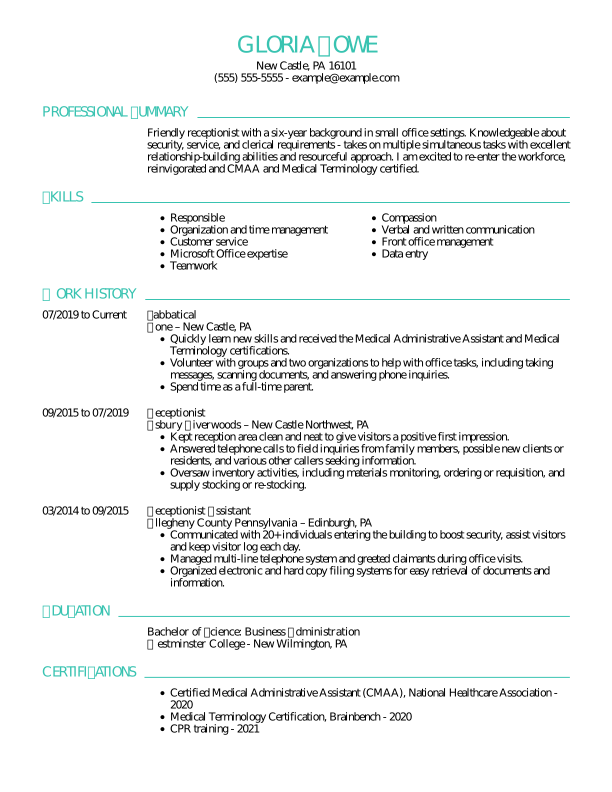
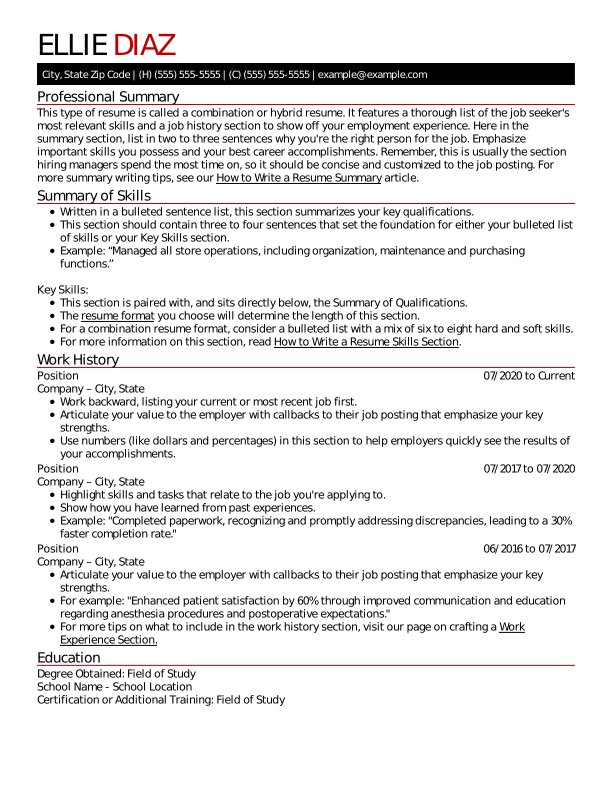
Assistant Manager: Combination Format

This job seeker uses the combination resume format to apply for an assistant manager promotion, highlighting their communication skills and growth.

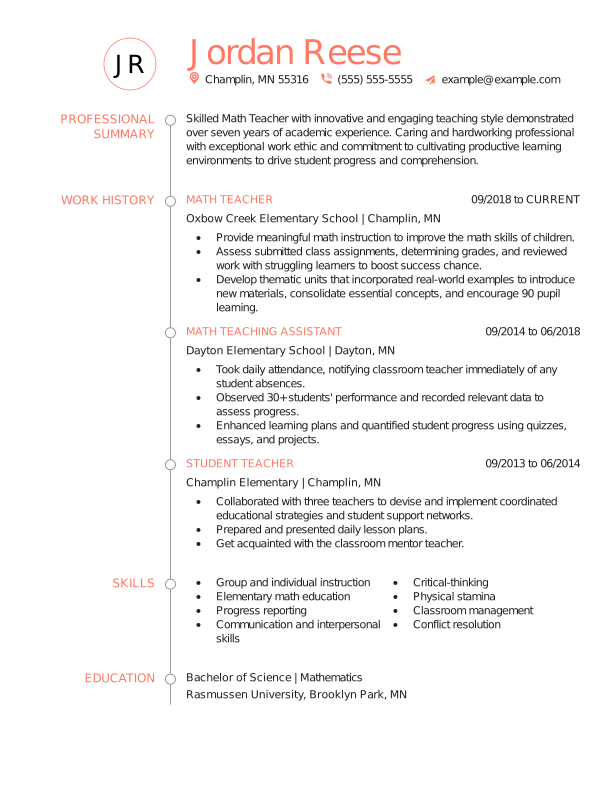
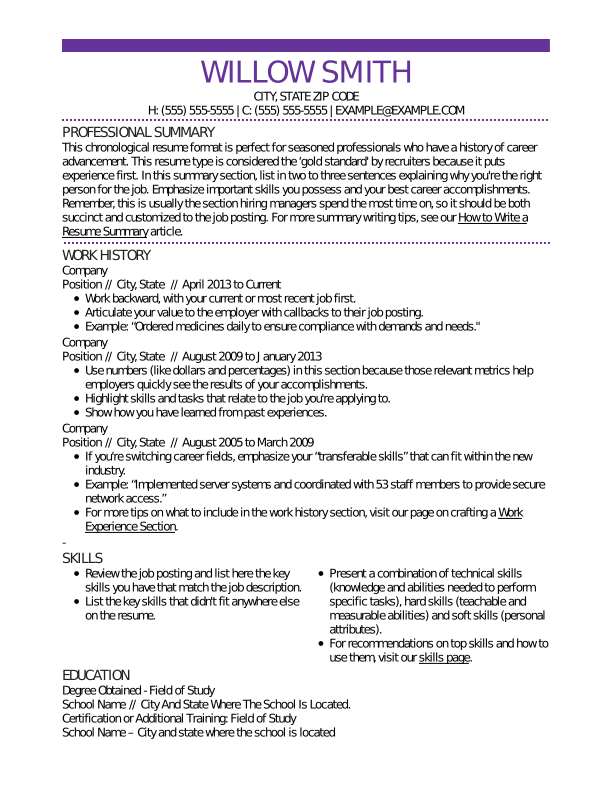
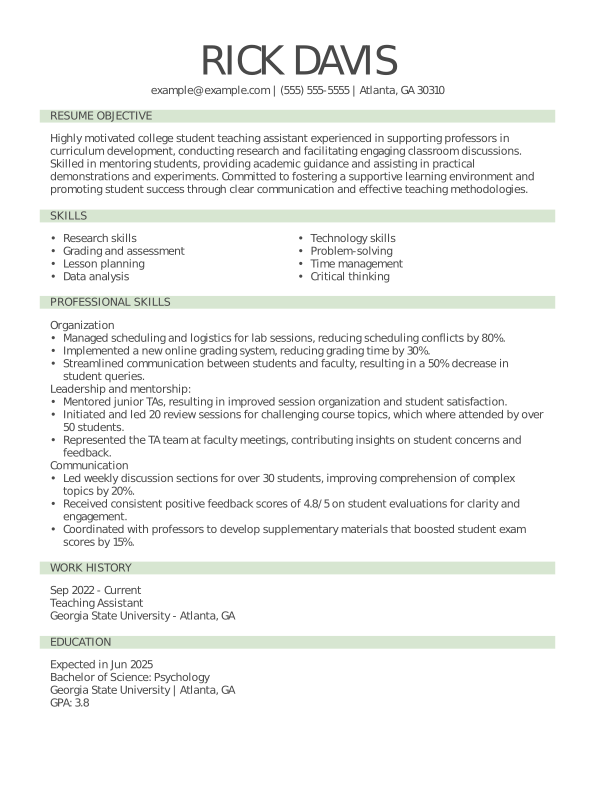
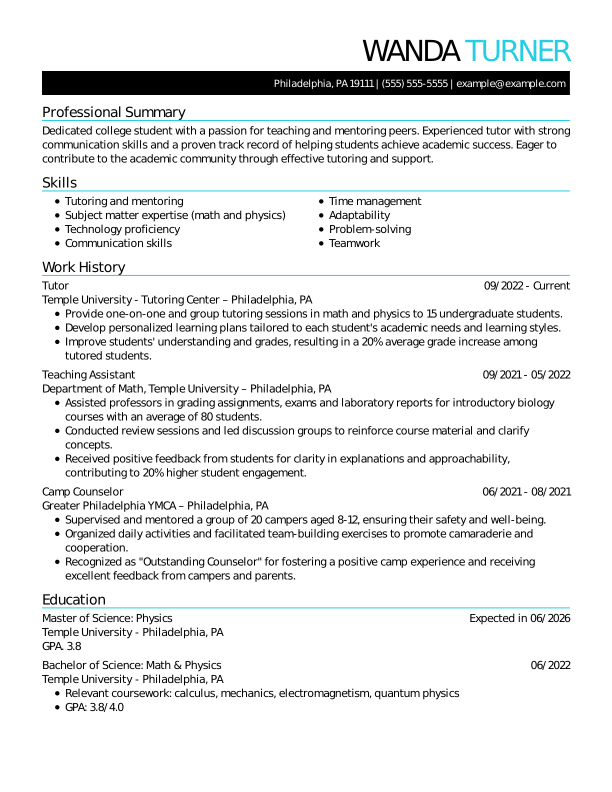
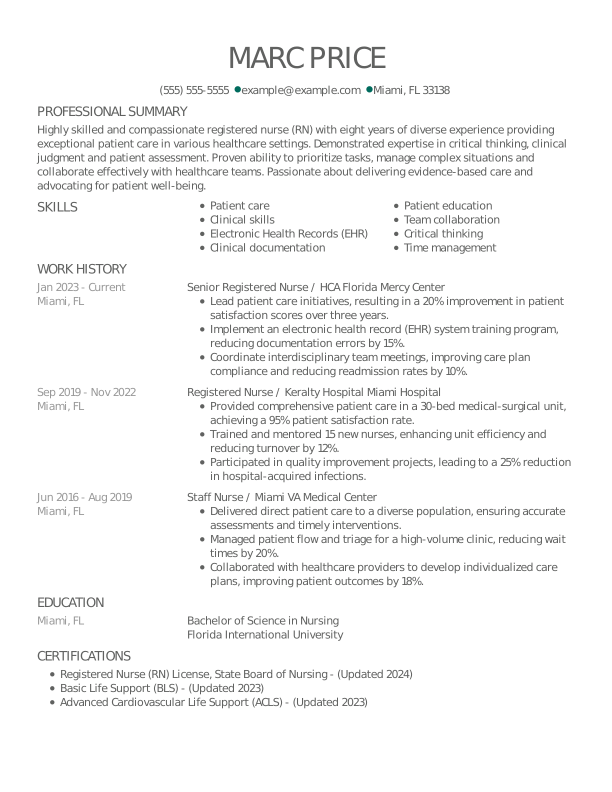
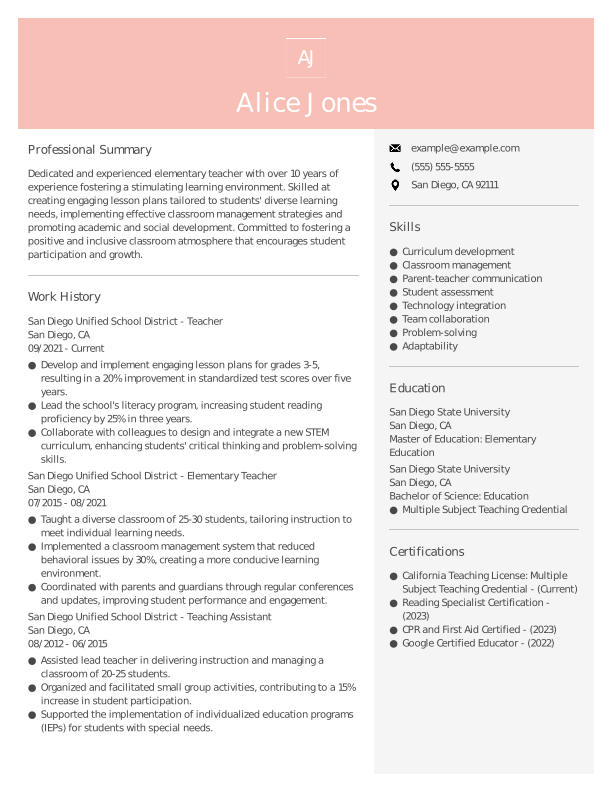
Teacher: Chronological Format

This chronological resume showcases the experienced teacher’s interpersonal skills and extensive, consistent career in education.

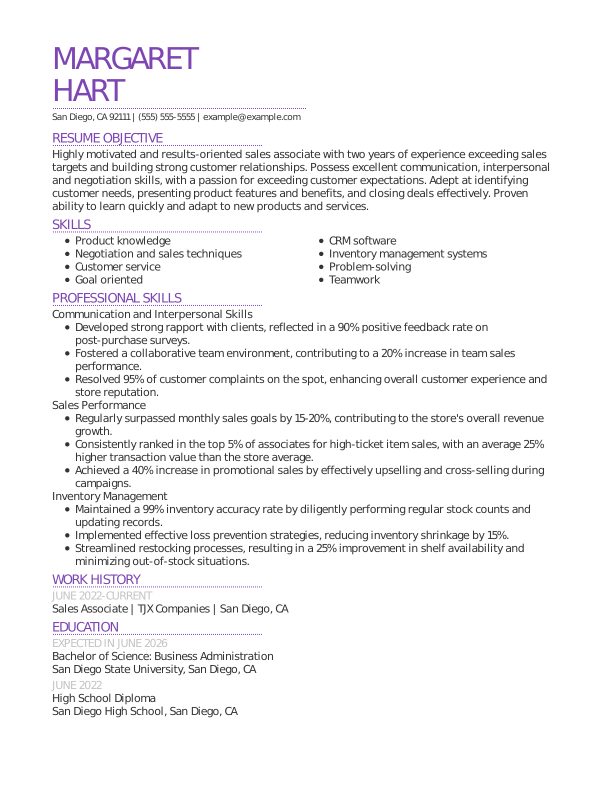
Sales Associate: Functional Format

Despite limited formal experience, this candidate showcases relevant transferable skills using the functional resume format.

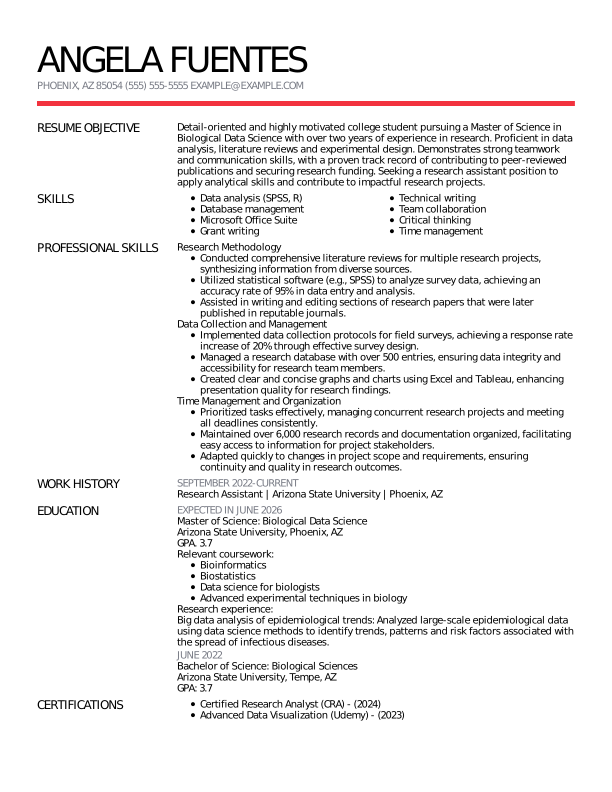
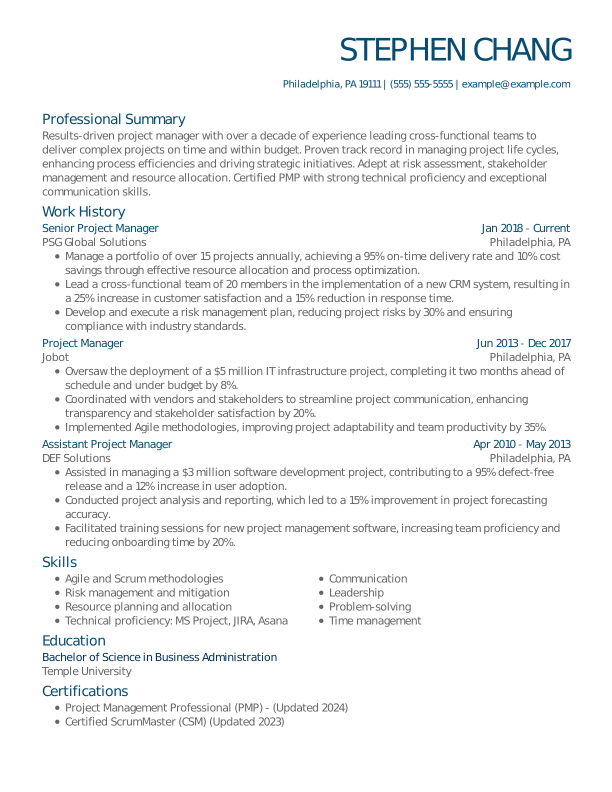
Project Manager: Combination Format

This combination resume shows the project manager’s technical skills and career progression from intern to assistant to manager.

What Are the 3 Main Resume Formats?

The three main resume formats are chronological, functional, and combination. Each format organizes your resume differently, changing the order and emphasis of your experience, skills, and achievements to highlight different strengths based on your career path.

Functional
Resume Format

Skills-focused format that emphasizes abilities over work history.

Functional

Combination
Resume Format

A middle-ground format that combines skills and work experience.

Combination

Chronological
Resume Format

Experience-focused format that highlights steady career progression.

Chronological

Best for experienced professionals

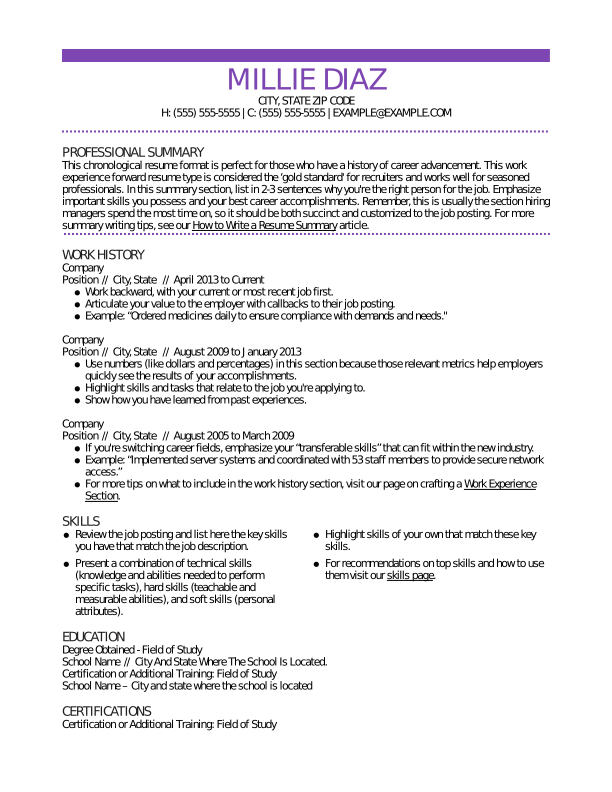
Chronological Resume Format

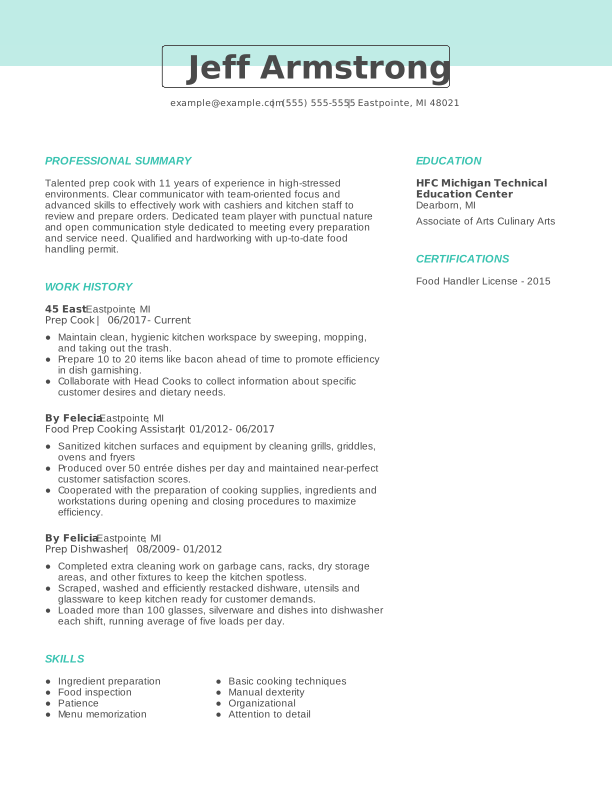
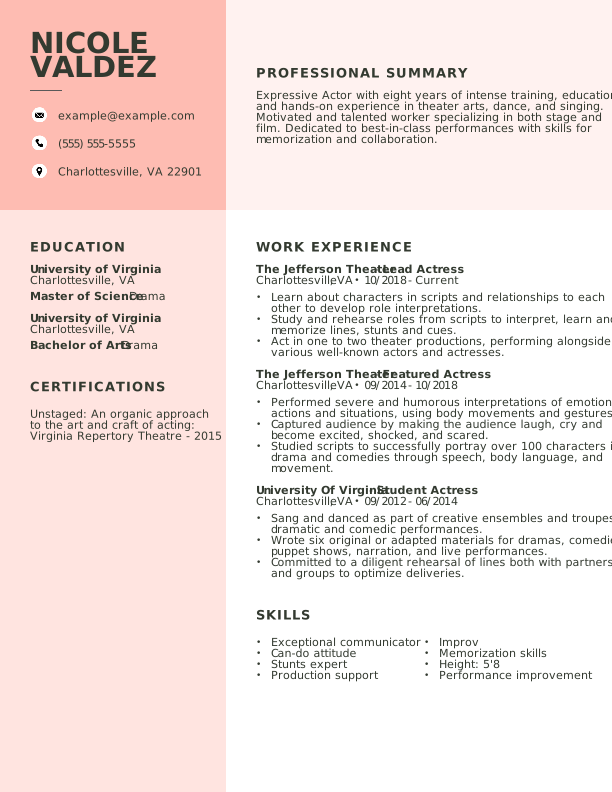
A chronological resume highlights work experience in reverse-chronological order, focusing on career progression and achievements, making it ideal for candidates with consistent work histories. Most hiring managers prefer this format because it’s easy to scan and clearly shows your work history and employers over time.

How to Organize a Chronological Resume

Organize a chronological resume by listing your most recent experience first, followed by earlier roles in reverse order. The chronological resume format always follows this section order:

Chronological Resume Format Pros & Cons

Pros

  • Clear career timeline: Shows work history, promotions, and skill growth in a logical, easy-to-follow order
  • Recruiter-friendly: Familiar format that makes it quick to scan and spot relevant experience
  • ATS-compatible: Widely recognized structure that improves parsing and keyword matching
  • Highlights progression: Emphasizes upward mobility and increasing responsibility

Cons

  • Highlights employment gaps: Breaks in work history are more visible
  • Not ideal for career changes: Emphasizes past roles over transferable abilities
  • Can undersell skills: Key strengths may get buried within job descriptions

Build My Resume

Chronological Resume Tips

  • Add your current job title to your resume headline, for example, “Seasoned Digital Marketer With Expertise in Content Strategy” or “Dedicated IT Specialist With Advanced Networking Skills.”

  • Use action verbs such as “managed,” “developed,” “achieved,” or “led” to convey your contributions effectively and assertively.

  • Tailor your resume to the job description by naturally incorporating relevant keywords. This helps hiring managers quickly see your fit for the role and improves your chances of passing ATS screening.

  • Quantify achievements by adding numbers to describe your accomplishments. For example, “increased sales by 20%” or “managed a team of 10” provides concrete evidence of your capabilities.

  • Include relevant training or certifications for the job you’re applying for and list them prominently.

Best for entry-level applicants

Functional Resume Format

A functional resume focuses on your skills and abilities instead of your work history, making it ideal for entry-level job seekers or those with employment gaps. By grouping experience into skill categories, this format highlights transferable skills relevant to your target job.

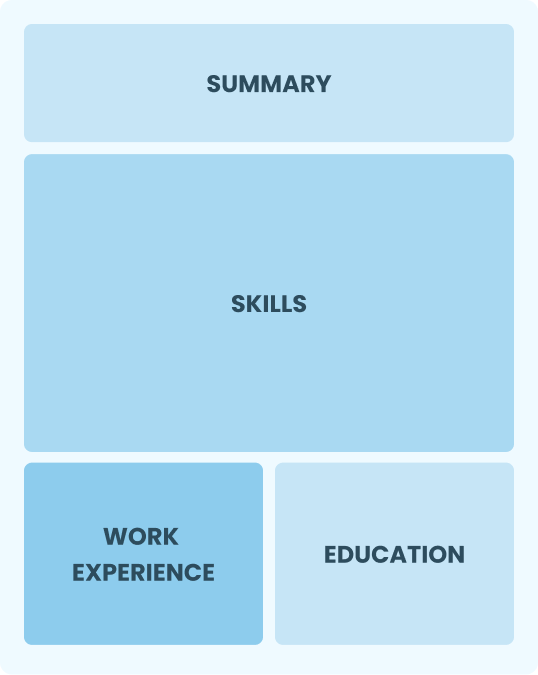
How to Organize a Functional Resume

Organize a functional resume by grouping your experience into skill-based sections instead of listing jobs chronologically. These are the sections and their order in a functional resume:

Functional Resume Format Pros & Cons

Pros

  • Emphasizes skills: Focuses on abilities over job history; great for first-time job seekers
  • Hides gaps: Useful for disguising career gaps or frequent job changes
  • Customizable: Easily tailored to highlight relevant skills for specific jobs

Cons

  • Raises red flags: A lack of employment dates could raise some red flags
  • Limited details: Lacks clear context about when and where you developed skills
  • Less ATS-friendly: Potentially hard to pass through some ATS due to its customizable features and skills-focused headings

Build My Resume

Functional Resume Tips

  • Address career gaps by highlighting your freelance projects, volunteer work, or dedication to skill development in your resume objective or core competencies section.

  • Add a hobbies and interests section to personalize your resume. Choose hobbies related to the job or demonstrating leadership, creativity, or teamwork.

  • Include four to five hard and soft resume skills related to the responsibilities of the job.

Best for mid-career professionals

Combination Resume Format

A combination resume blends the strengths of both functional and chronological formats, highlighting your key skills while still showcasing your work history. It’s ideal for mid-career professionals or career changers who want to demonstrate both capability and progression.

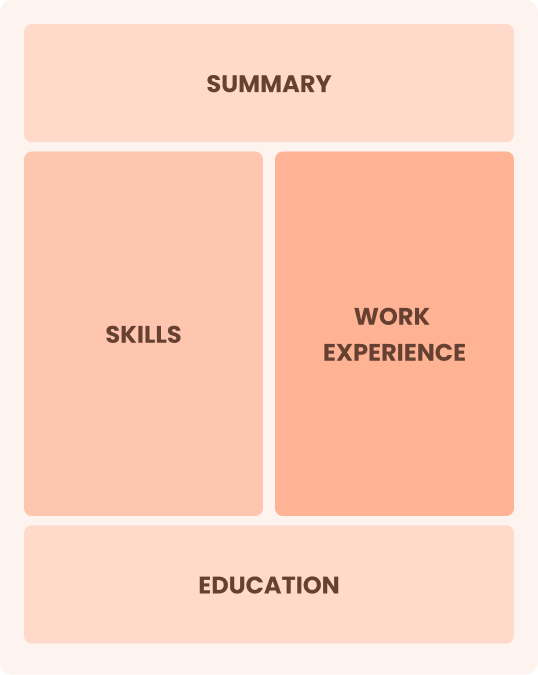
How to Organize a Combination Resume

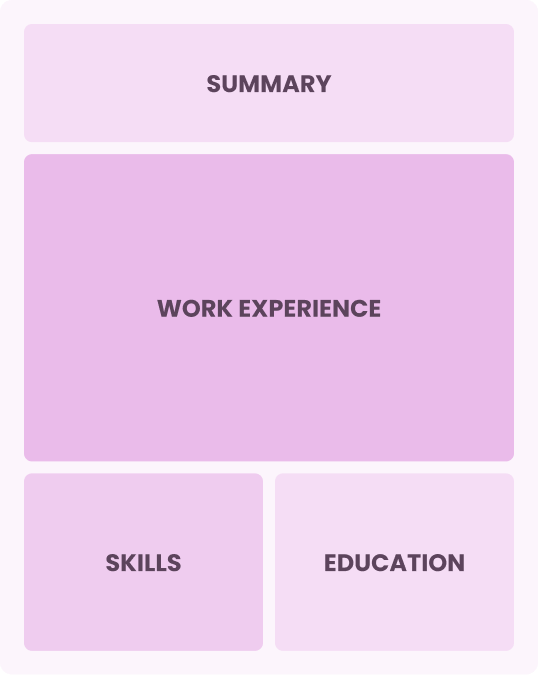
A combination resume is organized by leading with a strong skills section, followed by a reverse-chronological work history. Here’s how sections are ordered in a combination resume:

  • Contact information
  • Professional summary
  • Summary of qualifications (optional)
  • Skills
  • Work history
  • Education

Combination Resume Format Pros & Cons

Pros

  • Blends both formats: Balances skills and work history for a fuller picture
  • Highlights key strengths: Puts your most relevant abilities front and center
  • Highly adaptable: Works well for both experienced professionals and career changers
  • Tailorable for roles: Lets you emphasize different skills depending on the job

Cons

  • Can be lengthy: Combines two formats, often increasing overall resume length
  • Risk of redundancy: Skills and experience may overlap or repeat information
  • Less scannable for simple roles: Can feel too detailed for straightforward applications
  • Requires careful editing: Needs strong prioritization to avoid clutter
  • May dilute focus: Important achievements can get buried without a clear structure

Build My Resume

Combination Resume Tips

  • Tailor content for the job by identifying the top qualifications listed in the job posting, and feature them prominently in your skills section and employment history.

  • Use a professional summary to give employers a snapshot of your career achievements and core competencies.

  • Highlight transferable skills if changing industries or job functions. Include skills like project management, communication, or problem-solving, which are valuable in many different roles and industries.

Resume Formatting Best Practices

Following resume formatting best practices can make the difference between getting noticed and being overlooked by both recruiters and applicant tracking systems (ATS).

A well-formatted resume makes your skills and achievements easy to scan while presenting you as a professional and detail-oriented candidate.

Use the best practices below to create a resume that’s clear, polished, and optimized for both recruiters and ATS.

Make A One Page Resume

1. Aim for a One-Page Resume

A one-page resume keeps your content focused and scannable. Prioritize only the most relevant skills, experience, and achievements for the role. 

Pick Standard Resume Sections

2. Pick Standard Resume Sections

Include clear, expected headings like “Professional Summary,” “Skills,” “Work Experience,” and “Education” to ensure nothing important is overlooked.

Keep One Inch Margins

3. Use Standard Margins

Keep margins between 0.5 and 1 inch on all sides to prevent overcrowding and ensure your content prints and displays properly across devices. 

Use Proper Line Spacing

4. Ensure Proper Line Spacing

Use single spacing or up to 1.15 line spacing to create enough white space for easy scanning without wasting room on the page or squeezing text together. 

Use The Appropriate Font Size

5. Use the Appropriate Font Size

Keep body text sized at 10 to 12 points, section headings at 14 to 16 points, and your name at 18 to 24 points for readability and a clear information hierarchy. 

Use Bullets

6. Opt for Simple Bullet Points

Use simple bullet points to present your experience in a clear, scannable format. Avoid overly complex symbols or formatting, as they can confuse an ATS. 

Choose An Easy To Read Font

7. Choose an Easy-to-Read Font

Choose a clean, professional font like Arial, Calibri, or Helvetica. Avoid decorative or script fonts, which can reduce readability and appear unprofessional.

Save Your Resume As A Pdf

8. Save Your Resume as a PDF

Save your resume as a PDF to preserve formatting, spacing, and layout across all devices and operating systems, unless the recruiter requests a different format.

What Is the Best Resume Format in 2026?

The best format of a resume in 2026 depends on your career stage, work history, and the story you want your resume to tell—especially as ATS and recruiter expectations evolve.

Use this guide to determine which format works best for your experience and job search goals:

  • Choose a chronological resume if you have steady, relevant work experience. This format highlights your career progression and recent roles, making it the most familiar option for recruiters and fully optimized for modern ATS systems.

  • Consider a functional resume if you’re a recent graduate, reentering the workforce, or have limited work experience. By emphasizing skills, education, and projects over job history, this format lets you showcase what you can do—even if your employment record is short or nontraditional.

  • Use a combination resume if you’re changing careers or have employment gaps. This format balances a strong skills section with a concise work history, helping you highlight transferable abilities while still giving recruiters the context they need.

Common Resume Format Mistakes to Avoid

Avoiding common resume formatting mistakes helps ensure your document is clear, professional, and ATS-friendly. One of the most common errors job seekers make is choosing a resume format based on familiarity rather than strategy, such as defaulting to a chronological resume even when it doesn’t best highlight their strengths.

Leaving Out Key Sections Due to Limited Experience

It’s common for recent graduates or candidates with limited work history to skip sections like work experience, thinking they’re optional, but omitting these sections can make a resume appear incomplete.

Instead, use skills, projects, education, internships, or volunteer work to fill gaps while still maintaining the standard resume structure recruiters expect.

Overloading Your Resume With Irrelevant Information

Including too much unrelated or outdated information can make your resume harder to read and distract from your key qualifications. For example, cramming every skill or minor role into a functional resume can make it unfocused, while adding irrelevant experience to a chronological resume can dilute your most important achievements.

Recruiters spend only seconds scanning each resume, so every detail should support the job you’re applying for. Keeping your content focused improves clarity, highlights your strengths, and increases your chances of moving forward.

Ignoring ATS Optimization Strategies

Failing to optimize your resume for ATS can cause it to be filtered out before it reaches a recruiter. Using unclear formatting, missing keywords, or complex design elements can reduce scanability and make it harder for systems to properly parse your information.

Always ensure your resume uses standard headings, relevant keywords, and a simple layout that’s easy for both ATS systems and recruiters to read.

You can use our Resume Builder to create an ATS-friendly resume with standard formatting and keyword optimization.

Failing to Update the Format Over Time

Using an outdated resume format can make your application less competitive. As your career evolves, your ideal format may also change based on your skills, experience, and job goals.

Changes in ATS systems and recruiter preferences also mean that resume standards aren’t static. Revisit your resume every six to 12 months to ensure it reflects your current qualifications rather than relying on the same template out of habit.

How to Optimize Your Resume for ATS Software

Optimizing your resume for ATS software means using a clean format, standard headings, and relevant keywords so automated systems can correctly scan and rank your application. 

Make Your Resume
  1. 1

    Stick to simple formatting and a one-column layout. Avoid photos, graphics, text boxes, tables, and multiple columns of text.

  2. 2

    Use an ATS-friendly font, such as Arial, Calibri, Georgia, or Times New Roman. Stay away from fonts with too much flourish.

  3. 3

    Use traditional section headings. Opt for titles like “Summary,” “Work History,” “Skills,” and “Education.”

  4. 4

    Include keywords from the job description. The job ad must include resume keywords that hint at the essential qualifications the employer is seeking.

  5. 5

    Always spell out an acronym the first time it appears. For example, write “cardiopulmonary resuscitation (CPR)” before using “CPR” on its own later in the text.

  6. 6

    Use a widely accepted file format like PDF or DOC. While this is a best practice, always follow the instructions on the job application.

  7. 7

    Proofread your resume to make sure it’s free of errors. Use our ATS Resume Checker to catch mistakes like grammar, typos, word choice, and formatting.

Key Takeaways

Here are a few key resume format points to keep in mind:

  • There are three primary resume formats: chronological, functional, and combination. Each has its own strengths and is suited to different career situations.
  • Choose the resume format that best aligns with your experience level and career goals.
  • Follow standard resume formatting guidelines, including 1-inch margins, a professional font, 11–12-point font size, single-line spacing, and clear spacing around headings.
  • Organize your resume into clear sections, such as summary, work experience, education, skills, and additional relevant categories.
  • Use bullet points in your work experience and education sections to improve readability and save space.
  • Ensure your resume is ATS-friendly by using clean formatting and relevant keywords to improve your chances of passing screening and being noticed by recruiters.

Build My Resume

Frequently Asked Questions

Which resume format do employers prefer?

Employers most often prefer the chronological resume format because it clearly shows your work history, career progression, and most recent experience first. This structure is easy to scan, familiar to hiring managers, and highly compatible with ATS systems. The best format, however, still depends on your experience and the role you’re targeting.

What are the five golden rules of resume writing?

The five golden rules of resume writing are: 

  1. Keep it concise.
  2. Tailor it to the job.
  3. Use clear formatting.
  4. Highlight achievements over duties.
  5. Ensure ATS compatibility.

These principles help your resume stay focused, easy to read, and relevant, improving both recruiter engagement and your chances of passing automated screening.

What is the most successful resume style?

The most successful resume style uses a clean, modern design with clear hierarchy, consistent spacing, and simple fonts that make information easy to scan.

Recruiters prefer layouts with strong section headings, bullet points, and plenty of white space. Avoid heavy graphics or clutter, as readability and ATS compatibility matter more than visual decoration.

What are the three C’s of a resume?

The three C’s of a resume are clarity, conciseness, and consistency. Clarity ensures your information is easy to understand at a glance, conciseness keeps content focused on relevant achievements, and consistency maintains uniform formatting throughout. 

Together, they improve readability, strengthen professionalism, and help both recruiters and ATS systems process your resume effectively.

What is the most important part of your resume?

The most important part of your resume depends on the format you use and your career stage.

  • In a chronological resume, work experience is most important.
  • In a functional resume, skills take priority.
  • In a combination resume, both are equally important, as employers want to see abilities supported by real experience.
☆☆☆☆☆
★★★★★

Rate this article

About the Author

Eric Ciechanowski large profile image

Eric Ciechanowski CPRW, Career Advice Writer

Eric is a Certified Professional Resume Writer (CPRW) and member of the Professional Association of Resume Writers & Career Coaches. He focuses on helping job seekers improve their professional resumes to highlight their unique skills and experience. Eric holds a B.A. double major in creative writing and philosophy from Tulane University and offers more than five years of specialized experience helping candidates navigate the complexities of today’s online job market, with a strong focus on resume optimization and effective self-presentation. He has had his work featured on LiveCareer’s resume builder and his career background includes fields as diverse as education, hospitality, journalism, copywriting, and tech.

Build Your Resume

Build a resume with LiveCareer

Build My Resume
Build My Cover Letter

Craft a Winning Cover Letter

Build My Cover Letter