Resume Formats: Examples & How to Choose the Right One
Your resume format shapes how employers see your career story. Find out which style works best to spotlight your strengths and boost your job search.

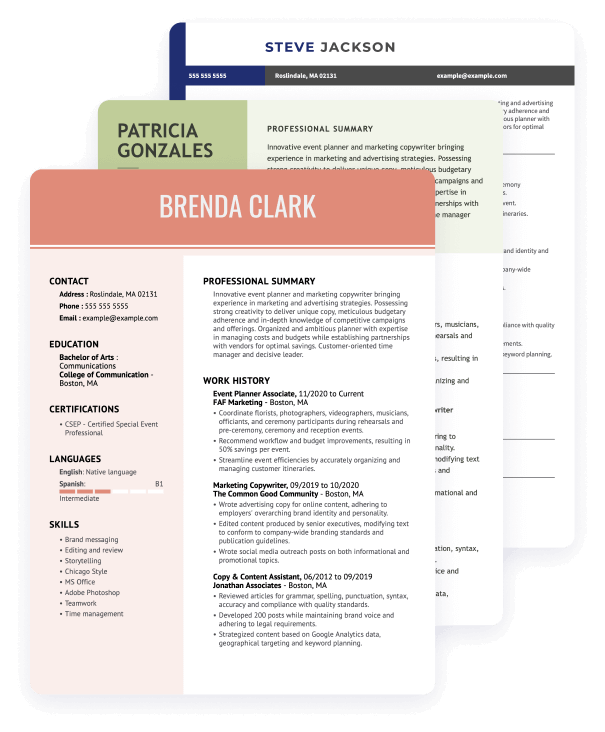
Hired By:*

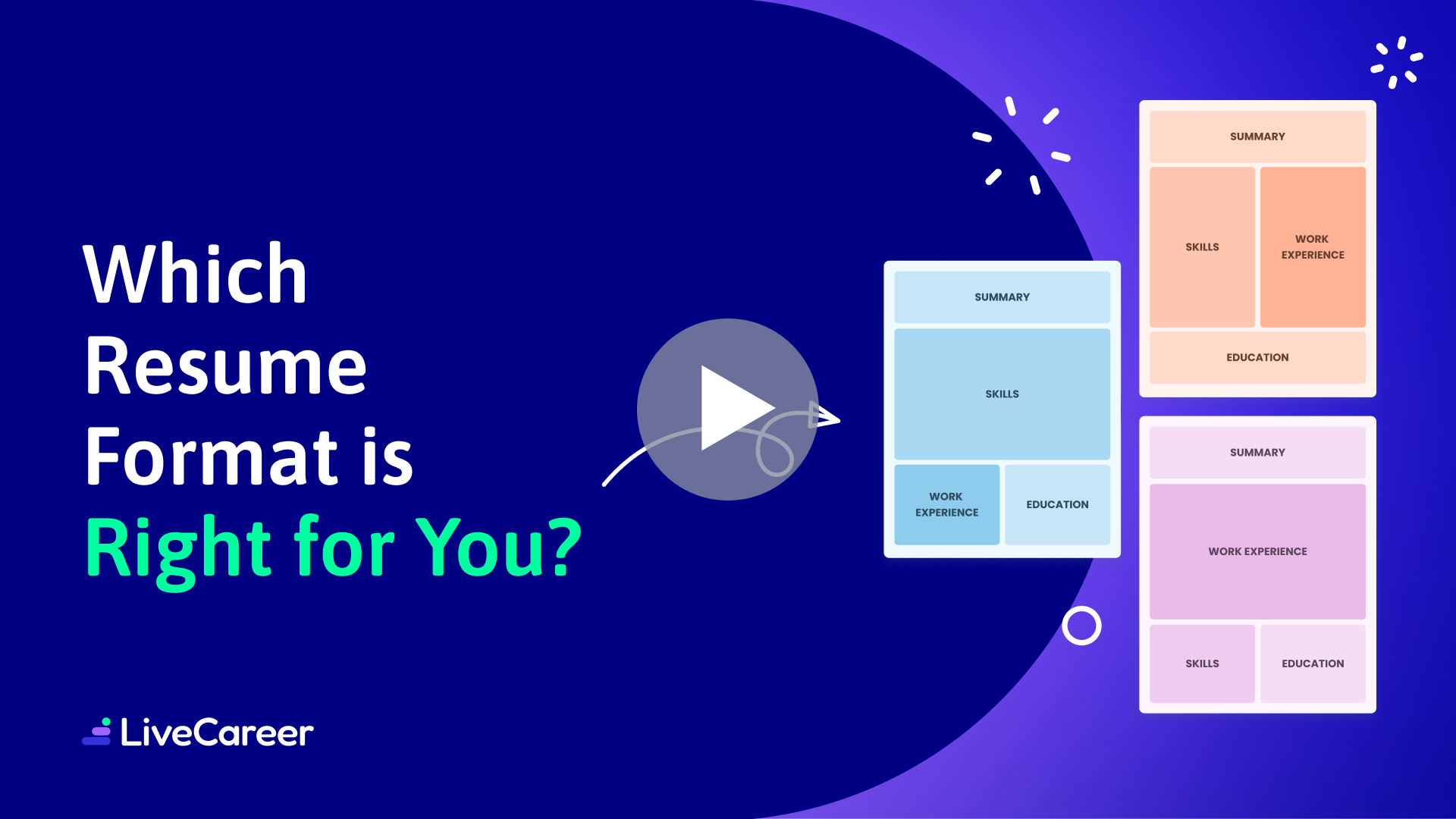
Does your resume seem to draw attention to employment gaps—or fail to capture the full range of skills you bring to the table? If so, changing your resume format could be the key to presenting your experience more effectively and strengthening your job search.
There are three recruiter-approved resume formats, and each offers a different way to organize your resume sections to highlight your strengths.
In this guide, we’ll explain how each resume format works, who it’s best suited for, and when to use it.
If you’re ready to update your resume in a way that better reflects your background, let’s start by comparing the key differences between each resume format.
Professional Resume Formats for Top Jobs
If you’re new to resume formats, it’s best to start with a preformatted resume template where all you have to do is fill in your career details. Check out the following resume examples to see how we applied each resume format template for various popular job titles.
Customer service representative resume template – chronological format
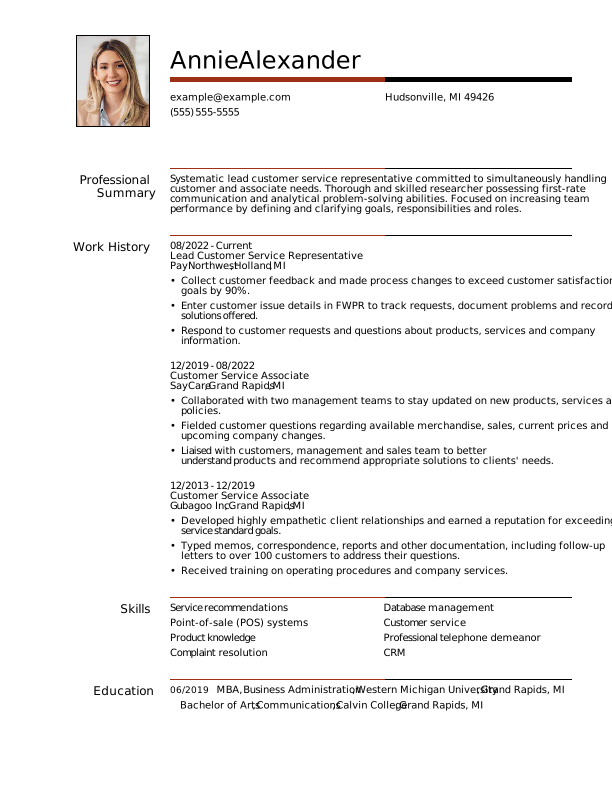
This experienced customer service representative uses the chronological resume format to highlight their 10+ years of experience, followed by a short skills section with strong customer service skills.
Cashier resume template — functional format
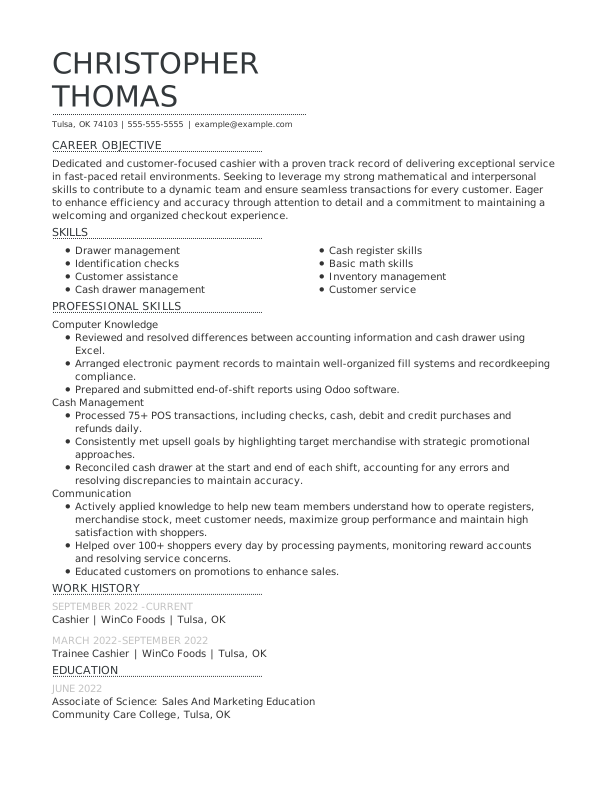
An inexperienced job seeker uses a functional resume to highlight relevant technical skills for an entry-level cashier position.
Assistant manager resume template – combination format
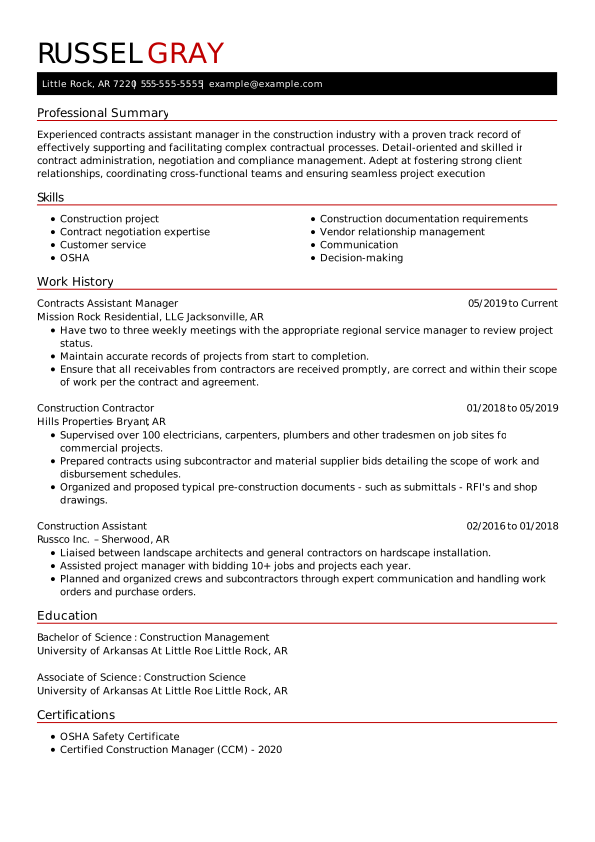
This job seeker uses the combination resume format to apply for an assistant manager promotion. The resume highlights their leadership and communication skills and increased responsibilities in their current position.
Teacher resume example – chronological format
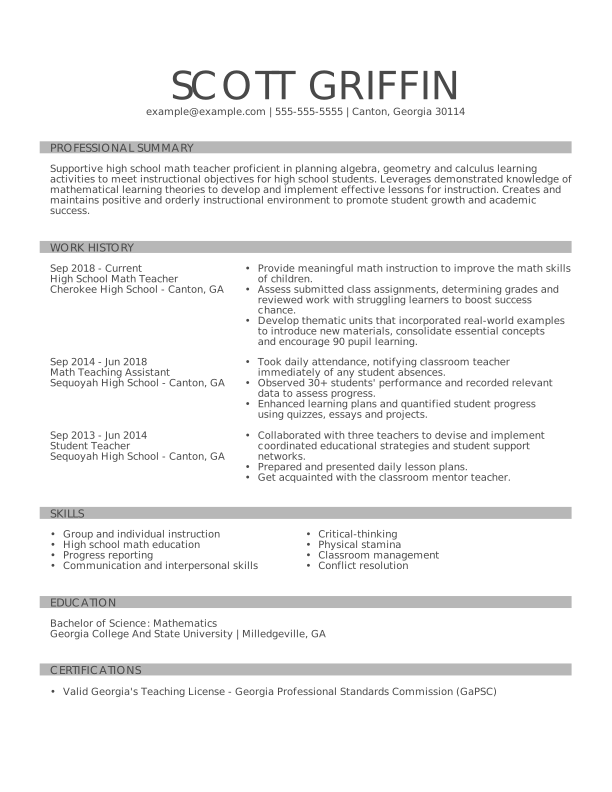
This resume shows this experienced teacher’s long career and interpersonal skills in education in a chronological format. See how they add additional sections to boost their application.
Sales associate resume example – functional format
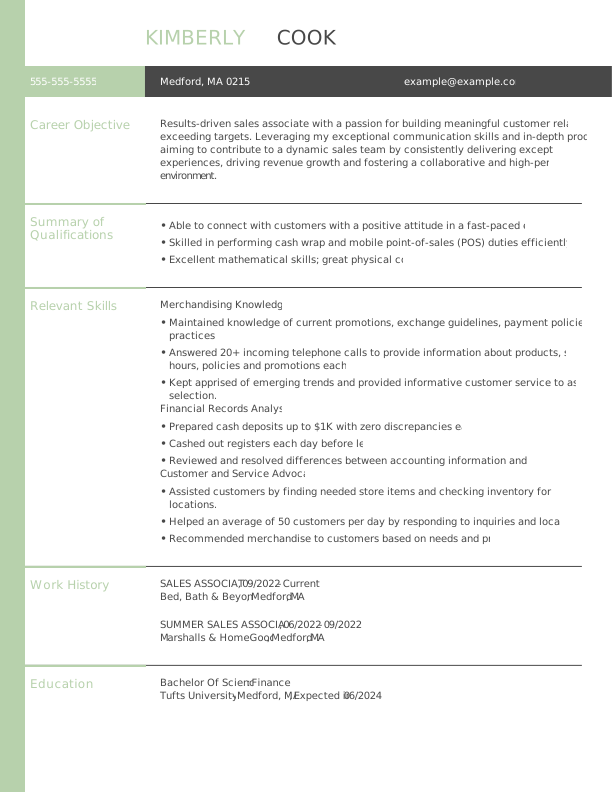
This functional resume sample shows how a current high school student or college graduate looking for part-time work as a sales associate should build their resume. Despite having little formal experience in retail, the candidate showcases relevant transferable skills from other experiences.
Project manager resume example – combination format
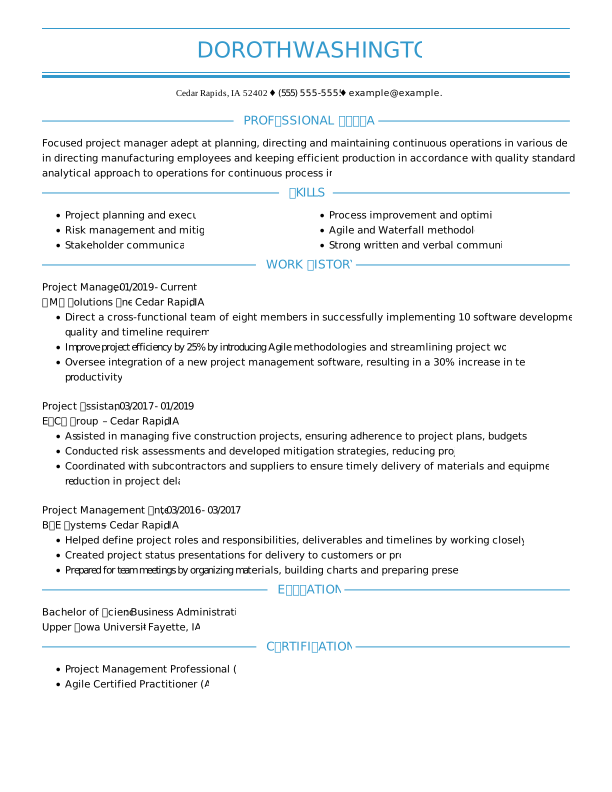
This combination resume shows this project manager’s career progression from intern and assistant to a manager role. The skills section at the top demonstrates the candidate’s most relevant technical skills, and a certifications section adds legitimacy to their skill set.
The 3 Main Resume Formats
Each resume format includes the five core sections every resume needs, but—as you’ll see in the infographic below—the order and emphasis change depending on the format.
Use the following infographic to understand each resume format’s structure, pros, and cons, then customize your resume with professionally designed templates, automatic formatting tools, and content suggestions that align with your experience and target job with our Resume Builder.
Functional
resume format
Emphasizes skills for inexperienced job seekers
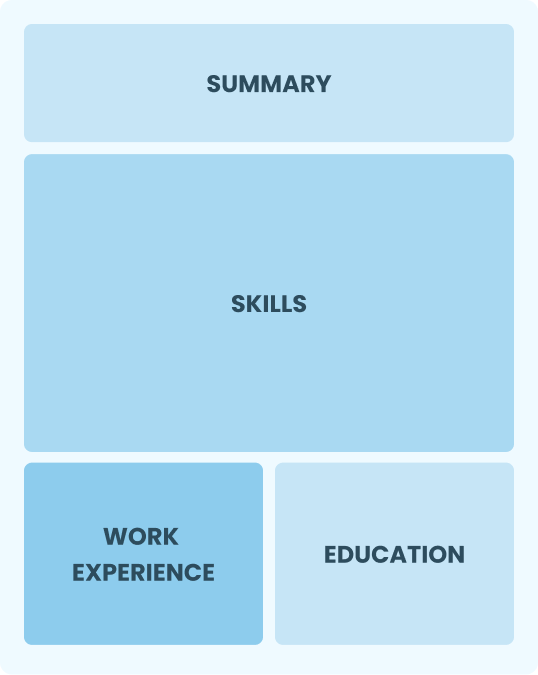
Combination
resume format
A middle ground format, perfect for promotions or career changes
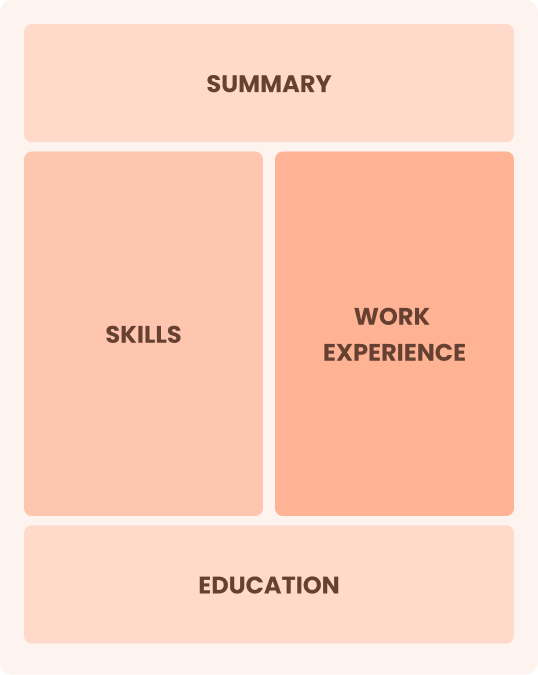
Chronological
resume format
Most traditional format for highly-experienced professionals
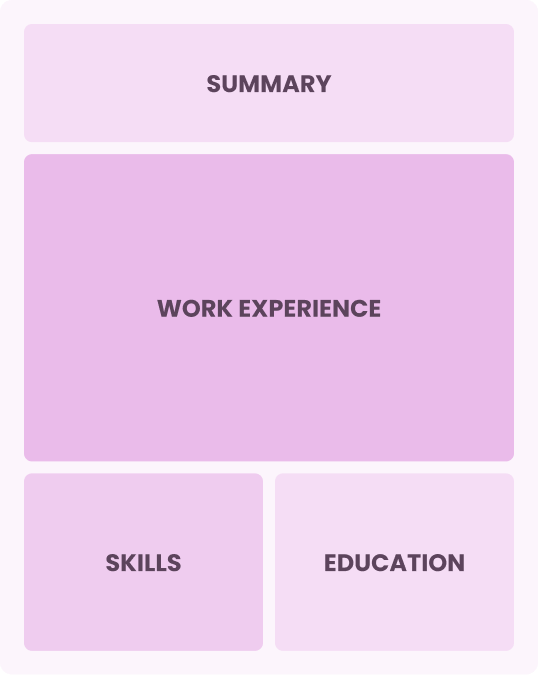
Best for experienced professionals
The Chronological Resume Format
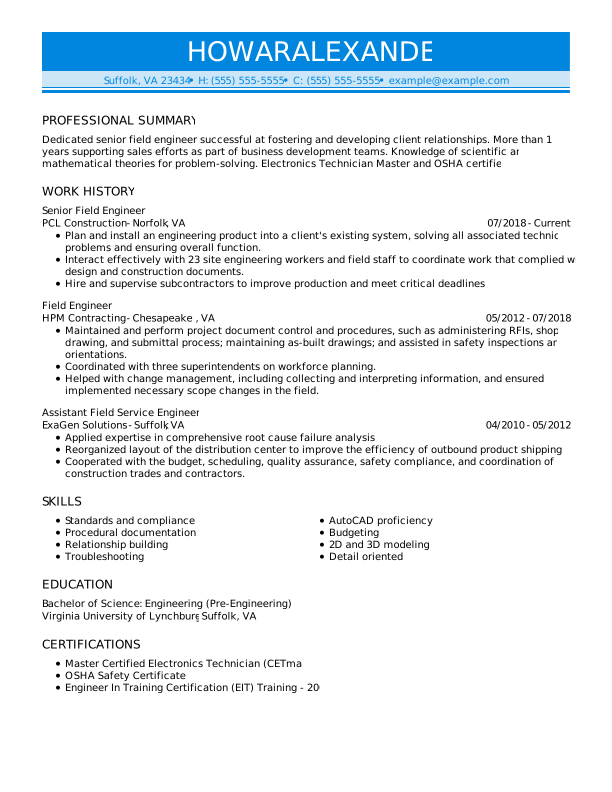
A chronological resume highlights work experience in reverse order, focusing on career progression and achievements, ideal for candidates with long and consistent careers. Most hiring managers prefer this resume format because it’s easy to scan and track your previous work history and employers.
How to Organize Your Chronological Resume Sections
The chronological resume format always follows this order:
- Contact information
- Professional summary
- Work history
- Skills
- Education
Chronological resume format pros & cons
Pros
- Clear timeline: Tracks work history, promotions, and skill development in chronological order
- Favored by recruiters: Easy to scan and find relevant experience
- ATS-friendly: The most common format that applicant tracking systems (ATS) recognize
Cons
- Highlights gaps: Makes employment gaps in your work history more obvious
- Less flexible: Harder to emphasize specific skills unless shared in your job descriptions
Tips to Improve Your Chronological Resume
Add your current job title to your resume headline, for example, “Seasoned Digital Marketer With Expertise in Content Strategy” or “Dedicated IT Specialist With Advanced Networking Skills.”
Use action verbs such as “managed,” “developed,” “achieved,” or “led” to convey your contributions effectively and assertively.
Tailor your resume to the job description by naturally incorporating relevant keywords. This helps hiring managers quickly see your fit for the role and improves your chances of passing ATS screening.
Quantify achievements by adding numbers to describe your accomplishments. For example, “increased sales by 20%” or “managed a team of 10” provides concrete evidence of your capabilities.
Include relevant training or certifications for the job you’re applying for and list them prominently.
Best for entry-level applicants
The Functional Resume Format
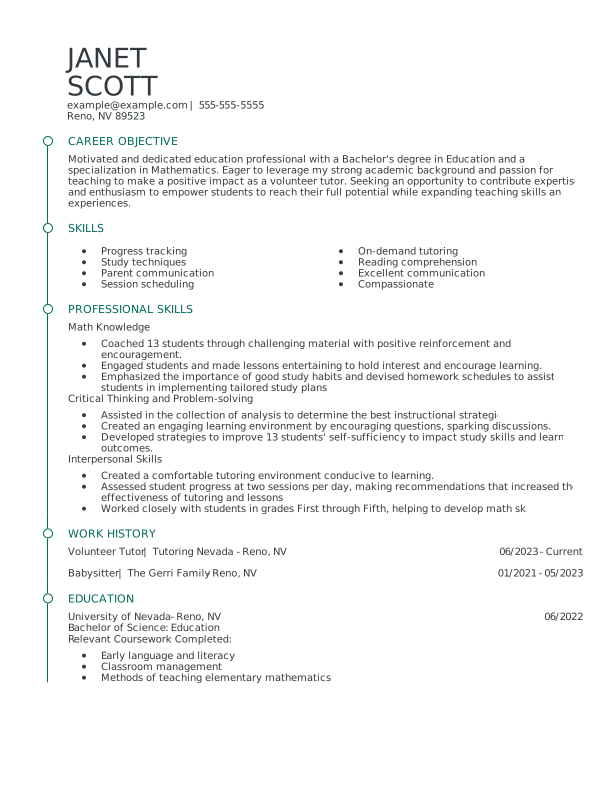
A functional resume focuses on skills and abilities instead of your work history. It’s the best resume format for new job seekers, job hoppers, or freelancers because it highlights transferable skills that are relevant to your target job.
How to Organize Your Functional Resume Sections
These are the sections and their order in a functional resume:
- Contact information
- Objective statement
- Core competencies/Summary of qualifications
- Skills (can include multiple technical skills sections)
- Work history
- Education
Functional resume format pros & cons
Pros
- Emphasizes skills: Focuses on abilities over job history; great for first-time job seekers
- Hides gaps: Useful for disguising career gaps or frequent job changes
- Customizable: Easily tailored to highlight relevant skills for specific jobs
Cons
- Raises red flags: A lack of employment dates could raise some red flags
- Less detail: Lacks clear context about when and where you developed skills
- Not ATS-friendly: Potentially hard to pass through some ATS due to its customizable features and skills-focused headings
Tips to Improve Your Functional Resume
Address career gaps by sharing your freelance projects, volunteer work, or dedication to skill development during employment gaps under your resume objective or core competency sections.
Add a hobbies and interests section to personalize your resume. Choose hobbies related to the job or demonstrating leadership, creativity, or teamwork.
Include four to five hard and soft resume skills related to the responsibilities of the open job.
Best for mid-career professionals
The Combination Resume Format
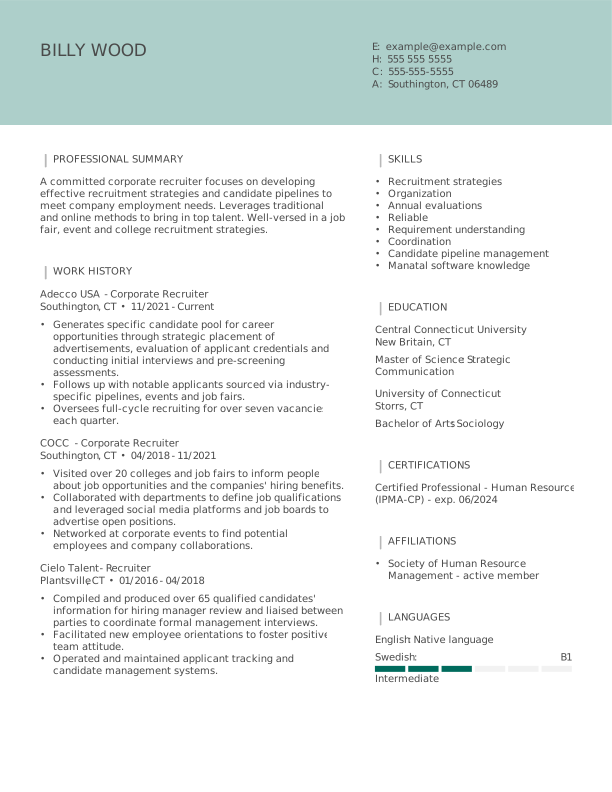
The combination resume—also called a hybrid resume—blends elements of both chronological and functional formats. It gives equal weight to your skills and work history, using the same sections as a chronological resume, but placing the skills section above your work experience.
How to Organize Your Combination Resume Sections
These are the sections and their order in a combination resume:
- Contact information
- Professional summary
- Summary of qualifications (optional)
- Skills
- Work history
- Education
Combination resume format pros & cons
Pros
- Blends formats: Lends equal page space to your skills and work history
- Shows growth: Easier for hiring managers to track your skill development and career growth
Cons
- Lengthy: Often more extensive due to dual focus on skills and experience
- Excessive detail: Sometimes too detailed for more straightforward job applications
Tips to Improve Your Combination Resume
Tailor content for the job by identifying the top qualifications listed in the job posting, and feature them prominently in your skills section and employment history.
Use a professional summary to give employers a snapshot of your career achievements and core competencies.
Highlight transferable skills if changing industries or job functions. Include skills like project management, communication, or problem-solving, which are valuable in many different roles and industries.
Resume Formatting Tips
Your resume’s formatting can be the difference between getting noticed and being overlooked by both recruiters and ATS. A well-formatted resume makes your skills and achievements easy to scan, while showing employers you’re professional and detail-oriented.
Follow these eight tips to create a resume that’s clear, polished, and impossible to ignore:

1. Make a one-page resume.
Aim to fit all your resume sections into a single page with LiveCareer’s one-page resume templates.

2. Pick standard resume sections.
For your resume sections, use standard titles: “Professional Summary,” “Work History,” “Skills,” and “Education.”

3. Keep one-inch margins.
Ensure your margins are at least 1 inch on all sides of your resume.

4. Use proper line spacing.
Keep your line spacing at 1.15 points for easy readability.

5. Use the appropriate font size.
Use a resume font size of 10 to 12 points.

6. Use bullet points.
Bullet points are great for condensing information when describing your work experience or resume skills.

7. Choose an easy-to-read font.
Select a clean and professional-looking resume font. Sans-serif fonts like Arial, Verdana, or Serif fonts like Georgia work well.

8. Save your resume as a PDF.
PDF is the best resume file format for saving and sending your document, as your resume’s formatting will remain the same. Only save your resume in MS Word if specifically requested by the employer.
What Is the Best Resume Format for 2026?
The best resume format for you in 2026 depends on your career stage, work history, and the story you want your resume to tell—especially as ATS and recruiter expectations continue to evolve. Use this guide to determine which format works best for your experience and job search goals:
Choose a chronological resume if you have steady, relevant work experience.
This format highlights your career progression and recent roles, making it the most familiar option for recruiters and fully optimized for modern ATS systems.Consider a functional resume if you’re a recent graduate, reentering the workforce, or have limited work experience.
By emphasizing skills, education, and projects over job history, this format lets you showcase what you can do—even if your employment record is short or nontraditional.Use a combination resume if you’re changing careers or have employment gaps.
This format balances a strong skills section with a concise work history, helping you highlight transferable abilities while still giving recruiters the context they need.
Common Resume Format Mistakes to Avoid
Many job seekers default to a chronological resume simply because they’ve seen it before. While it feels safe to go for the most familiar format, it might not highlight your strengths.
For example, if you’re changing careers or have employment gaps, a chronological resume can unintentionally draw attention to areas you’d rather emphasize differently. Always select a format that best showcases your skills and experience, not the one you’re used to seeing.
Leaving Out Key Sections Due to Limited Experience.
It’s common for recent graduates or those with minimal work history to skip sections like work experience, thinking it’s optional. Omitting these sections can actually make your resume appear incomplete.
Instead, focus on skills, projects, education, internships, or volunteer work to fill the gaps while maintaining the standard resume structure recruiters expect.
Overloading a Format with Irrelevant Information.
Another frequent mistake is forcing a format to do too much. For instance, cramming every skill, project, or minor job into a functional resume can make it unfocused, while putting non-relevant experience in a chronological resume can dilute your key achievements. Stick to information that showcases your career story and aligns with your target job.
Ignoring ATS optimization.
Regardless of format, a resume should follow ATS compliance rules. Overly creative layouts, unconventional section titles, or excessive graphics can confuse ATS. Always make sure your resume format balances readability for both recruiters and software.
Failing to update the format over time.
Your first resume isn’t permanent. As your career evolves, your ideal format might change. Revisit your resume every 6 to 12 months to ensure it reflects your current skills, experiences, and job goals rather than sticking with the same template out of habit.
How to Make Your Resume
Pass ATS Software
Employers rely on ATS to narrow the list of applicants. Use tools like our reverse-engineered ATS Resume Checker to ensure your resume layout, headings, margins, and job descriptions use our best writing practices. Ensure your resume adheres to these standards:

- 1
Stick to simple formatting and a one-column layout. Avoid photos, graphics, text boxes, tables, and multiple columns of text.
- 2
Use an ATS-friendly font such as Arial, Calibri, Georgia, or Times New Roman. Stay away from fonts with too much flourish.
- 3
Use traditional section headings. Opt for titles like “Summary,” “Work history,” “Skills,” and “Education.”
- 4
Include keywords from the job description. The job ad must include resume keywords that hint at the essential qualifications the employer is seeking.
- 5
Don’t include acronyms by themselves. When writing concepts like “CPR,” always include the full version—“cardiopulmonary resuscitation.”
- 6
Use a widely accepted file format like PDF or DOC. While this is a best practice, always follow the instructions on the job application.
- 7
Proofread your resume to make sure it’s free of errors. Use our Resume Checker to catch 30+ resume mistakes, including grammar, typos, word choice, and formatting.
Key Takeaways
Before you begin crafting your standout resume with the ideal resume format, here are a few key points to consider:
- There are three primary resume formats: reverse-chronological, functional, and combination. Each has its advantages and disadvantages, catering to different types of job seekers.
- Choose the resume format that best suits your individual needs by taking into account your experience level and career goals.
- Adhere to standard resume formatting guidelines: use 1-inch margins, a professional font, font size between 11 and 12 pt., single-line spacing, and extra space around headings.
- Organize your resume into distinct sections, including a resume header, summary, work experience, education, skills, and other categories.
- Utilize bullet points in the work experience and education sections to conserve space.
- Always ensure your resume is compatible with applicant tracking systems (ATS) to increase the likelihood of reaching your recruiter. Selecting a suitable resume template from a professional resume builder can aid this process.
FAQ
Which format do most employers prefer for resumes?
Most employers prefer the chronological resume format because it clearly shows career progression and makes work history easy to review. Recruiters are familiar with this format, and it is generally more compatible with ATS systems. That said, the best format ultimately depends on your experience, skills, and the type of role you’re applying for.
Which resume format works best for ATS in 2026?
In 2026, the chronological and combination resume formats work best for ATS. These formats provide a clear structure that ATS software can easily scan, highlighting work history, dates, and relevant skills. Functional resumes, which focus heavily on skills and often omit dates, may confuse ATS and are less reliable for automated screening.
To optimize any format for ATS, use standard section headings, keep the layout simple, avoid graphics or tables, and include relevant keywords from the job description.
Can I use more than one resume format?
Absolutely! You can tailor your resume format for each job application to best showcase your skills and experience. For roles in your established career, a chronological or combination format works well, while a functional format can be ideal for freelance work, part-time positions, or career changes. Adjusting your format lets you highlight the most relevant qualifications for each opportunity and makes your resume stand out every time.
How do I change my resume format in LiveCareer’s Resume Builder?
You can change your resume format in LiveCareer’s Resume Builder by adding or rearranging sections. On the left-hand side of the editor, click “Add a Section” to include items like “Accomplishments,” “Certifications,” or “Websites”—or choose “Add Your Own” to create sections such as “Professional Skills” or “Summary of Qualifications.”









Featured in:*